Accoru Review — What It Does, What It Costs, Who It Is For
An honest look at Accoru — the features, the pricing, the limitations, and the businesses it actually suits. No marketing language. Just a straight answer to whether it fits your needs.

A review of accounting software written by the same company that makes the software needs to be read with appropriate skepticism. We know that. So this review is going to do something most software review pages do not — it is going to tell you honestly where Accoru falls short, who it is not right for, and what you should choose instead in specific situations.
If Accoru is not the right fit for your business, you should know that before you spend time evaluating it. If it is the right fit, you should know exactly why — without having to wade through marketing language to figure it out.
This is a straight answer to the question every prospective customer is actually asking: does this software do what I need it to do, at a price that makes sense, and is it genuinely better than what I am currently using?
What Accoru Is
Accoru is cloud-based accounting software built for small business owners, freelancers, and growing service teams.
It covers the full accounting workflow for a typical small business — invoicing, expense tracking, bank reconciliation, financial reports, tax reports, client management, multi-currency, team access, and integrations with the tools most small businesses already use.
It is not the most feature-rich accounting platform on the market. It is not the cheapest. It is not the oldest or the most widely recognized name.
What it is: a complete, well-designed accounting platform built specifically for business owners who manage their own books — designed to be accessible without an accounting background, priced at a flat rate with every feature included, and built to grow with a business without penalizing it for doing so.
What Accoru Is Not
Before getting into what Accoru does, it is worth being clear about what it does not do — because matching software to needs requires knowing both.
Accoru does not include payroll. If you need to run payroll for employees — calculating wages, processing direct deposits, filing payroll taxes — Accoru does not handle this. You need a dedicated payroll tool.
Accoru does not have a native mobile app yet. The platform is fully responsive and works on mobile browsers — iPhone Safari, Android Chrome — and can be added to your home screen for a near-native experience. But it is not available as a downloadable app from the App Store or Google Play. A native app is on the roadmap.
Accoru does not have deep inventory management. Basic product and inventory tracking is available. For businesses with complex inventory requirements — manufacturing, multi-location stock management, kitting and assembly, detailed cost-of-goods-sold tracking at SKU level — dedicated inventory software integrated with Accoru is a more complete solution.
Accoru does not have an accountant ecosystem the size of QuickBooks. QuickBooks has decades of accountant adoption in the US. Xero has deep accountant adoption in the UK and Australia. Accoru does not have the same depth of pre-existing accountant relationships. It does provide accountant access — your accountant can log in with their own credentials and work in your account. But if your accountant has a strong preference for a specific platform, that preference matters.
Accoru does not have time tracking. Billing by the hour requires a separate time tracking tool. Logged hours need to be entered manually as line items on invoices rather than flowing automatically from a built-in timer.
What Accoru Does — Feature by Feature
Invoicing
Accoru's invoicing covers the complete billing cycle — creating, sending, tracking, and collecting.
Creating invoices: Select a client, add line items with descriptions, quantities, rates, and tax, apply any discounts, set payment terms, and send. The invoice is professionally formatted with your logo and business details. The process takes two minutes for a new invoice and less if you are creating from a template or duplicating a previous invoice.
Sending invoices: Invoices are sent directly from Accoru by email — the client receives a professional email with the invoice attached as a PDF and a Pay Now button for immediate payment.
Payment acceptance: The Pay Now button connects to Stripe for card payments and PayPal for PayPal payments. Clients pay in one click from the invoice email without needing to log in or create an account. Partial payment is supported. Overpayment is handled. Multi-currency payment acceptance works across 150+ currencies.
Automatic payment reminders: Set a reminder schedule once — pre-due, due date, and multiple overdue stages — and Accoru sends professionally worded reminders automatically for every invoice. Reminders stop the moment payment is received. You never write a manual chasing email.
Recurring invoices: Set up a recurring invoice for any client on any schedule — weekly, monthly, quarterly, annual, or custom interval. Invoices generate and send automatically. Reminders run automatically on recurring invoices as well.
Invoice tracking: Every invoice has a status — Draft, Sent, Viewed, Paid, Overdue, Cancelled. You see when a client opened your invoice. You are notified the moment payment arrives. Outstanding invoices and overdue amounts are visible at a glance.
What invoicing does not include: Time tracking integration — you cannot log hours and bill them automatically. Proposals and contracts — invoicing is billing, not client engagement workflow.
Expense Tracking
Accoru's expense tracking covers the complete process from transaction capture to categorized, tax-ready records.
Bank sync: Connect your business bank accounts and credit cards and transactions import automatically — typically daily, sometimes in real time. Multiple accounts are supported. The bank connection works for 10,000+ financial institutions worldwide via open banking.
Automatic categorization: Imported transactions are automatically categorized based on merchant name, transaction description, and your past categorization patterns. Category rules let you set specific merchants to always categorize to specific accounts — so recurring suppliers and subscriptions categorize correctly without review.
Receipt capture: Take a photo of any receipt on your phone and Accoru reads the merchant, amount, date, and tax using OCR — then matches the receipt to the corresponding transaction. Receipts are stored permanently in your account. PDF receipts can be uploaded directly.
Billable expenses: Mark any expense as billable against a specific client or project. It appears automatically as a line item on the next invoice to that client — so every client expense is recovered without manual tracking.
Recurring expenses: Set up recurring expenses for regular costs — monthly subscriptions, quarterly insurance, annual licenses — and they are logged automatically on schedule.
Mileage: Manual mileage entry with standard rate calculation. Not a GPS-based automatic mileage tracker — you enter trips manually.
Bank Reconciliation
Bank reconciliation in Accoru is built around automatic transaction matching — the software does most of the work and you confirm and investigate exceptions.
How it works: Imported bank transactions are matched automatically to corresponding entries in your accounting records — invoice payments match to invoices, expenses match to recorded costs, bank fees match to bank charge entries. Matched transactions are confirmed in one click. Unmatched transactions appear in a clear exceptions list.
What is automatic: Most routine transaction matching. Category suggestions for new transactions. Duplicate detection.
What requires your attention: Transactions that cannot be matched automatically — typically bank fees not yet recorded, payments from clients with unexpected account names, or transactions without corresponding accounting entries.
Reconciliation completion: When all transactions are matched and the closing balance agrees with the bank statement, the period is complete and can be locked. Locked periods cannot be accidentally edited.
Multiple accounts: All connected bank accounts and credit cards reconcile separately — each with its own feed, status, and reconciliation history.
Financial Reports
Accoru generates the complete set of financial reports from your accounting data — one click, any date range, professionally formatted.
Profit & Loss statement: Revenue by category, expenses by category, gross profit, net profit. Monthly, quarterly, or annual. Period comparison (this month vs last month, this year vs last year). Cash or accrual basis toggle.
Balance sheet: Assets, liabilities, and equity at any point in time. Current and non-current split. Comparative balance sheet (two periods side by side).
Cash flow statement: Operating, investing, and financing cash flows. Indirect method (starting from net profit with working capital adjustments).
Trial balance: Complete account list with debit and credit balances. Confirmation that books are in balance.
Aged receivables: Every outstanding invoice by client, grouped by age — current, 30, 60, 90, 90+ days overdue.
Aged payables: Every outstanding bill by supplier, grouped by age.
General ledger: Complete transaction-level record for any account, any period.
Tax summary: Income, deductible expenses, tax collected, and net tax position for any period. VAT, GST, or sales tax reports.
Exporting: Every report exports to PDF and CSV. Reports can be shared via secure view-only link — your accountant accesses them directly without you emailing files.
Multi-Currency
Multi-currency support is included in every Accoru plan — not locked behind a premium tier.
What it covers: Invoice clients in any of 150+ currencies. Accept payments in any currency. Record expenses in any currency. All reports presented in your home currency with correct conversions.
How exchange rates work: Live exchange rates update automatically. Each transaction is locked at the rate at the time it is created. Manual rate override is available if you have agreed a specific rate with a client.
Currency gain and loss: When the exchange rate changes between invoicing and payment, Accoru calculates and records the currency gain or loss automatically. It appears correctly in your Profit & Loss and balance sheet.
Multi-currency bank accounts: Foreign currency bank accounts reconcile in their native currency. Your dashboard shows the home currency equivalent of each account's balance.
Client Management
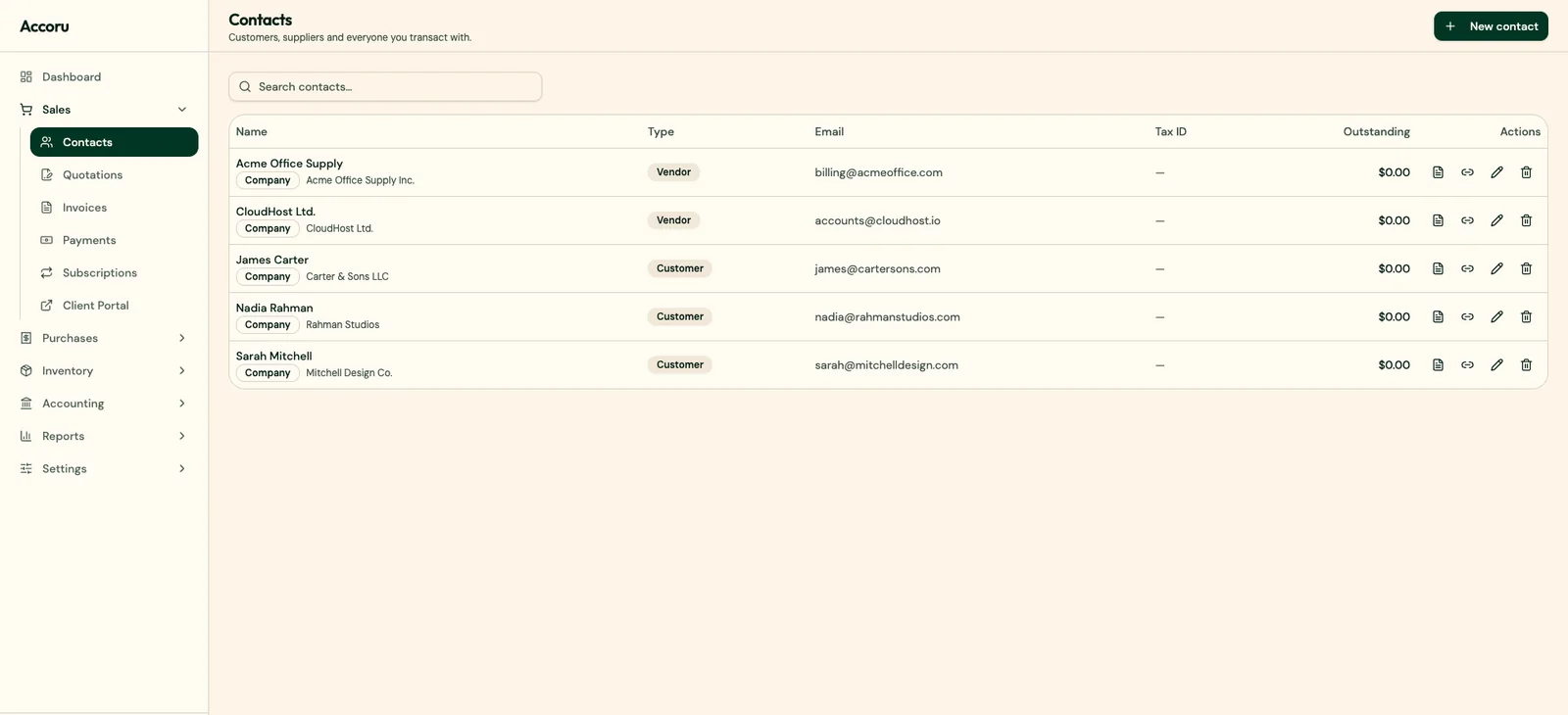
Every client in Accoru has a dedicated profile containing their complete financial history — contact details, all invoices sent, all payments received, outstanding balance, overdue balance, quotes, and internal notes.
Client portal: Clients can log in to view their invoices, download PDFs, check payment history, and make payments — without contacting you for documents.
Client statements: One-click statement generation — complete invoice and payment history for any period, sent directly to the client by email or downloaded as PDF.
Multiple contacts: Add multiple contacts per client company — invoice recipient, accounts payable contact, project manager — each with their own communication preferences.
No client limits: Accoru has no limit on the number of clients in your account.
Team Access
Add team members with role-based permissions — Admin, Accountant, Staff, or View Only. Each role has appropriate access controls built in.
No per-user fees: Adding team members does not increase your monthly cost.
Accountant role: Purpose-built for professional accountants — full access to reports, reconciliation, journal entries, and tax data, without access to billing settings or client communications.
Audit trail: Every action by every user is logged — what they did, when, from which device.
Integrations
Stripe: Pay Now button on every invoice. Card payments recorded automatically. Invoice marked as paid on receipt.
PayPal: PayPal Pay Now button on every invoice. Payments recorded automatically.
Shopify: Sales, refunds, and fees sync automatically from your Shopify store into Accoru.
WooCommerce: Same automatic sync for WooCommerce stores.
Zapier: Connect Accoru to 5,000+ apps through Zapier automations.
Google Sheets: Export any Accoru data to Google Sheets — live connection or scheduled export.
REST API: Full programmatic access to Accoru data — invoices, clients, expenses, payments, reports. Webhook support for real-time event notifications. Full documentation and sandbox environment.
Pricing
Accoru has two billing options — monthly and annual. Both include every feature.
Monthly: Flat rate per month. Cancel anytime. No contracts.
Annual: Lower monthly rate billed annually. Save compared to monthly.
There are no tiers. No per-user fees. No feature paywalls. No add-ons required for core functionality. The price you see is the price you pay — for every feature, for as many users as you need, for as many clients as you have.
Current pricing is on the Accoru pricing page — we do not publish specific prices in blog content because they can change, and we want you to see the accurate current figure rather than a number that may be out of date.
Who Accoru Is Right For
Small business owners managing their own books
The clearest fit. Accoru is designed for business owners without accounting backgrounds — the language is plain, the workflows are logical, and the interface does not require accounting knowledge to navigate. If you manage your own books and find platforms like QuickBooks or Xero more complex than you need, Accoru is built for you.
Freelancers and independent consultants
Professional invoicing, automatic payment reminders, recurring billing for retainer clients, expense tracking, multi-currency for international clients, and complete financial reports — everything a freelancer needs without features they do not. No client limits, no per-user fees, flat pricing that does not escalate.
Service-based small businesses
Marketing agencies, design studios, consulting firms, professional services businesses, tradespeople, healthcare practitioners, coaches — service businesses that invoice clients, track expenses, and need clean books for tax and financial management without inventory complexity.
Businesses with international clients
Multi-currency support included on every plan — not a premium add-on. If you invoice clients in multiple currencies regularly, Accoru handles it without requiring an upgrade.
Small teams that want platform access without per-user costs
A team of three or four people who all need Accoru access pays the same flat rate as a solo operator. No per-user fees means team growth does not drive accounting software cost growth.
Businesses switching from QuickBooks
If you are paying for QuickBooks complexity you do not use — or paying for features you do not need to access one feature you do — Accoru covers the accounting needs most small businesses actually have, at a price point that reflects their actual complexity rather than enterprise capability.
Who Accoru Is Not Right For
Businesses that need payroll
If payroll is a core requirement and you want it integrated with your accounting software, Accoru is not the right choice at this stage. QuickBooks Online with QuickBooks Payroll, or Xero with Xero Payroll, covers this need.
Businesses with complex inventory
If you manufacture products, manage stock across multiple locations, or need detailed cost tracking at SKU level, Accoru's basic inventory capability will not be sufficient. QuickBooks Plus or Xero with a dedicated inventory integration is more appropriate.
Hourly billing businesses that need integrated time tracking
If you bill entirely by the hour and want time tracking natively integrated — logging hours directly against projects and converting them to invoice line items automatically — FreshBooks handles this more seamlessly than Accoru currently does.
Businesses whose accountants require a specific platform
If your accountant actively manages your books in QuickBooks or Xero and has a strong preference for that platform, the efficiency of accountant alignment may outweigh the benefits of switching. Ask your accountant what they need before deciding.
Businesses in markets where specific local tax features are required
Accoru covers standard accounting requirements for most markets. Some jurisdictions have highly specific local tax filing requirements — country-specific VAT return formats, electronic filing integrations, local compliance features — that may be better served by platforms with deeper local market presence.
How Accoru Compares to the Main Alternatives
Accoru vs QuickBooks
QuickBooks has more features, a larger integration ecosystem, and deeper accountant familiarity in the US market. It is also more expensive, more complex, and designed for accounting professionals rather than business owners.
Choose QuickBooks if: your accountant requires it, you need payroll integration, you need complex inventory or project accounting, or you need the broadest possible integration ecosystem.
Choose Accoru if: you manage your own books, you want complete accounting without per-user fees or feature tiers, you find QuickBooks more complex than your needs require, or you want flat predictable pricing.
Accoru vs FreshBooks
FreshBooks has a better invoicing experience and native time tracking. Accoru has more complete accounting depth — bank reconciliation on every plan, full financial reports, and no client limits.
Choose FreshBooks if: invoicing is your primary need, you bill by the hour and need integrated time tracking, you have five or fewer clients and the Lite plan works.
Choose Accoru if: you need complete accounting alongside invoicing, you have more than five active clients, you want bank reconciliation without upgrading, or you want multi-currency included without a premium plan.
Accoru vs Wave
Wave is free for the software. Accoru is a paid subscription. Wave does not include automatic payment reminders or multi-currency support.
Choose Wave if: you are very early stage with minimal revenue and simple needs, and you primarily receive payment by bank transfer.
Choose Accoru if: you invoice clients with payment terms and want automatic reminders, you have international clients, you need multi-currency support, or you want reliable human support when something goes wrong.
Accoru vs Xero
Xero has a larger accountant ecosystem, stronger international presence in UK and ANZ markets, and a well-regarded reconciliation workflow. Accoru has a more accessible interface for non-accountants, flat pricing without invoice limits, and multi-currency included on every plan.
Choose Xero if: your accountant uses Xero, you are in the UK or Australia where Xero has strong adoption, or you need Xero's specific reconciliation tools.
Choose Accoru if: you manage your own books without accounting knowledge, you want multi-currency without paying for a premium plan, or you want flat pricing with no invoice or user limits.
The Honest Limitations
Three limitations worth knowing before you make a decision:
No native mobile app. The browser experience on mobile is good — fully responsive, fast, all features available. But if a native app is important to you — for offline access, push notifications, or the native feel of a downloaded app — Accoru does not currently provide this. It is on the roadmap and the timeline is active development.
No time tracking. For freelancers and consultants who bill entirely by the hour and want time tracking integrated with invoicing, this is a gap. Manual time entry as invoice line items works — but it is not as seamless as FreshBooks' native time tracking.
No payroll. For businesses with employees who need payroll processed through their accounting platform, Accoru is not the complete solution. A separate payroll tool is required.
These are genuine limitations — not caveats buried in fine print. If any of them are critical requirements for your business, you should know upfront rather than discover them after switching.
The Setup Experience
Getting started with Accoru takes approximately 15 minutes for most businesses.
Step 01 — Business details: Enter your business name, address, logo, default currency, and tax registration details. These populate automatically on all invoices and reports.
Step 02 — Add clients: Import from a CSV or add manually. Client details — name, email, address, default currency, default payment terms — are saved and applied to every invoice automatically.
Step 03 — Connect your bank: Search for your bank, authenticate, and transactions start importing. Most major banks worldwide are supported.
Step 04 — Connect payment processing: Authorize Stripe, PayPal, or both. Pay Now buttons appear on all invoices immediately.
Step 05 — Send your first invoice: Select a client, add line items, preview, send. The first invoice typically takes three to five minutes. Subsequent invoices take less.
The setup does not require an accountant, a tutorial, or technical knowledge. Most Accoru users are fully operational within their first session.
The Switching Experience
If you are coming from another platform, here is what to expect.
From QuickBooks: Export your chart of accounts, customer list, and transaction history from QuickBooks. Import into Accoru. Enter opening balances for each account as of your transition date. Re-establish bank connections. Takes two to four hours for most small businesses.
From FreshBooks: Export client and invoice history. Import into Accoru. Re-establish bank connections. Takes one to two hours.
From Wave: Export accounting data. Import into Accoru. Re-establish bank connections. Takes one to two hours.
From spreadsheets: Enter or import client details. Enter opening balances if you have historical records you want to carry forward, or start fresh from today. Takes one to two hours.
The most practical transition point is the start of a new financial year — clean opening balances, historical data from the previous year preserved in the old platform for reference.
Summary
Accoru is a complete accounting platform built for small business owners who manage their own books. It covers every accounting need that most small businesses actually have — invoicing, expense tracking, bank reconciliation, financial reports, multi-currency, team access, and integrations — at a flat price with no per-user fees, no feature tiers, and no artificial ceilings.
It is not the right choice for every business. Businesses that need payroll, complex inventory management, or integrated time tracking should look at alternatives. Businesses whose accountants have strong platform preferences should factor that in.
But for the significant proportion of small businesses that are currently overpaying for QuickBooks complexity they do not use, running into FreshBooks client limits, dealing with Wave's support gaps and payment fees, or navigating Xero's accountant-first interface — Accoru addresses the specific limitations that drive each of those frustrations.
The best way to evaluate any accounting software is to use it. Accoru includes a money-back guarantee — so the evaluation is risk-free.
Frequently Asked Questions
Q: Is Accoru suitable for businesses without accounting knowledge? A: Yes — it is specifically designed for business owners without accounting backgrounds. The interface uses plain language rather than accounting terminology, the workflows follow business logic rather than accounting structure, and every feature is accessible without accounting training. Most users are fully operational within their first session without reading any documentation.
Q: How does Accoru handle VAT and sales tax? A: Tax rates are configurable — you set up the rates applicable to your business (standard rate, reduced rate, zero rate, exempt) and apply them to invoices and expenses. Accoru calculates tax automatically on every transaction and produces tax summary reports showing tax collected and tax paid for any period. For filing, the report is exported or shared with your accountant. Specific country-by-country filing integrations vary — check with Accoru support for your specific jurisdiction's requirements.
Q: Can I give my accountant access to Accoru? A: Yes. The Accountant role gives your accountant direct access to your live financial data — reports, reconciliation, journal entries, and tax data — through their own login. They work independently without you needing to prepare or send reports. Every action they take is logged in the audit trail. Adding your accountant costs nothing extra.
Q: What happens to my data if I cancel? A: Your data remains accessible for export for a period after cancellation — invoices, expenses, clients, reports, and transaction history can all be exported in standard formats. We do not hold your data hostage. Financial records are yours and you can take them with you.
Q: Does Accoru work for businesses outside the US? A: Yes. Accoru supports businesses in multiple countries — multi-currency, international bank connections, VAT and GST reporting, and GDPR compliance are all built in. Some country-specific tax filing integrations may vary. Contact Accoru support to confirm support for specific local requirements in your market.
Q: Is the Accoru API available to all customers? A: Yes. API access is included in every Accoru plan — generate your API key from your account settings. Full documentation, sandbox environment, and webhook support are available to all subscribers.
If what you have read matches what you are looking for in accounting software, the next step is straightforward — try Accoru, use it fully, and decide from experience rather than from a review page.