Bookkeeping Software for Self-Employed — Cut Through the Noise
Self-employed bookkeeping software ranges from genuinely useful to expensively overbuilt. What you actually need depends on how you work — here is how to figure that out.

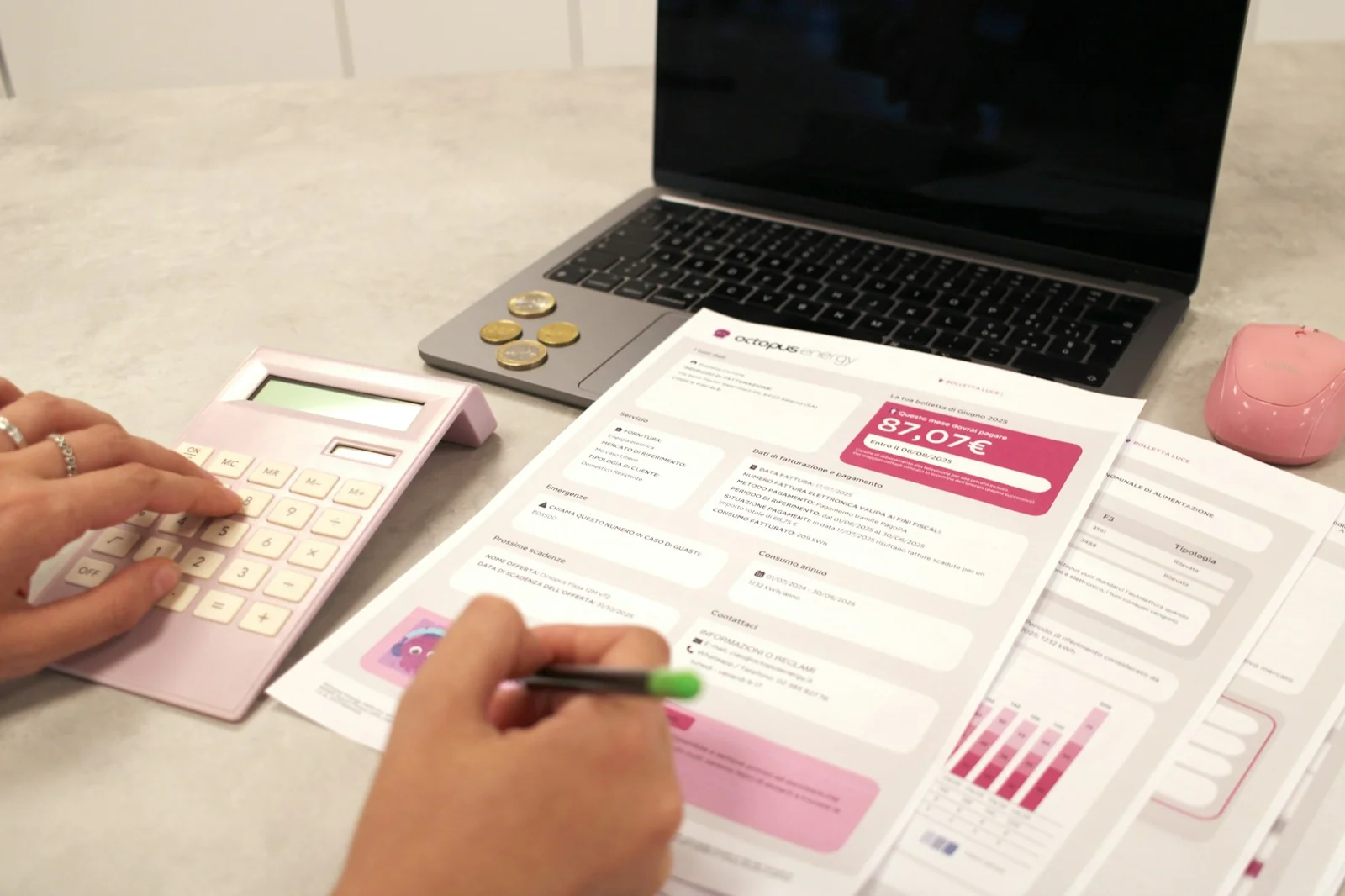
The market for self-employed bookkeeping software is cluttered. There are platforms that charge premium prices for features most self-employed people will never use. Platforms that appear free but generate their revenue through payment processing fees. Platforms designed for accountants that have been retrofitted for business owners. And platforms so simplified that they work for six months before showing their limitations.
Cutting through the noise requires being clear about one thing first: what does a self-employed person actually need from bookkeeping software?
The answer is more specific — and simpler — than most platform comparisons suggest. And once you know what you actually need, the field narrows considerably.
This guide covers what self-employed bookkeeping genuinely requires, which platforms address those requirements well, where each platform falls short, and how to match the right tool to your specific situation.
What Self-Employed Bookkeeping Actually Involves
Self-employed bookkeeping is different from small business bookkeeping in scale and complexity — but not fundamentally in kind. The same activities apply — recording income, tracking expenses, reconciling accounts, and preparing for tax — but the volume is typically lower and the structure is simpler.
The core bookkeeping activities for most self-employed people:
Recording income
Every payment received needs to be recorded as income — when it arrived, from whom, and how much. For most self-employed people, this means invoicing clients and recording payments against those invoices. For some — particularly those paid via platforms like PayPal, Stripe, or marketplaces — it means reconciling platform payouts against order records.
Income records are the foundation of your tax return. Missing or inaccurate income records are both a compliance risk and a missed opportunity — if income is not properly tracked, neither is the profitability of the business.
Tracking expenses
Every business expense needs to be recorded and categorized. Office supplies, software subscriptions, professional development, home office costs, travel, phone bills, equipment — anything spent for business purposes is a potential tax deduction.
The challenge most self-employed people face is consistency. Recording expenses promptly and accurately — rather than leaving them for a month-end catch-up or a pre-tax scramble — is one of the most valuable bookkeeping habits to develop.
Separating business and personal finances
This is foundational — not a bookkeeping feature but a bookkeeping prerequisite. Using a dedicated business bank account and a dedicated card for business purchases makes every other bookkeeping task significantly simpler. Without it, every transaction requires judgment about whether it was business or personal — which is time-consuming, error-prone, and a red flag to tax authorities.
Bank reconciliation
Matching your accounting records to your bank statement monthly keeps your books accurate and catches errors before they compound. For self-employed people with modest transaction volumes, reconciliation is not time-intensive — typically 15–20 minutes per month with good software. The discipline of doing it regularly is more important than the time it takes.
Tax preparation
Self-employed people have specific tax obligations — income tax on profits, self-employment tax in the US and equivalent contributions in other jurisdictions, VAT or sales tax if applicable, and quarterly estimated payments in many jurisdictions.
Good bookkeeping software makes tax preparation straightforward — income and expenses are organized into the categories relevant for your tax return, and the reports needed for filing are available at any time.
Financial reporting
Reviewing your financial position regularly — how much have you earned, what have you spent, what are your margins, what is your cash position — is the difference between managing your finances proactively and reacting to problems after they develop.
Even for simple self-employed operations, a monthly Profit & Loss review is valuable. It takes five minutes with good software and gives you information that improves your pricing, spending, and planning decisions.
What Self-Employed People Do Not Need
Being clear about what you do not need is as important as knowing what you do — because the software market is full of features being sold to self-employed people who have no use for them.
Payroll — Unless you employ staff, you do not need payroll software. Owner withdrawals are not payroll in the traditional sense. Paying yourself from your business is a drawings or distribution transaction, not a payroll run.
Inventory management — Service-based self-employed people — consultants, designers, writers, coaches, developers — have no inventory. Even product-based self-employed people often have inventory simple enough to handle with basic accounting software rather than dedicated inventory tools.
Multi-entity accounting — Unless you have multiple business entities, you do not need the ability to consolidate accounts across entities.
Advanced project accounting — For most self-employed people, basic invoice-to-project tracking is sufficient. Dedicated project accounting features are relevant for construction businesses, engineering firms, and other complex project environments — not for the majority of self-employed service providers.
Enterprise reporting — Class tracking, department tracking, budget vs actual by division — features designed for businesses with organizational complexity — are not relevant for a solo operation.
The platforms that charge more because they include these features are not necessarily delivering more value to self-employed users. You are paying for capability you will never use.
The Platforms — What Each One Delivers for Self-Employed
QuickBooks Self-Employed
QuickBooks offers a product specifically branded for self-employed individuals — a simplified version of its broader platform.
What it does:
- Income and expense tracking
- Mileage tracking via mobile
- Quarterly estimated tax calculation
- Basic invoicing
- Receipt scanning
- Schedule C (US tax) categorization
Where it falls short:
- Very limited accounting depth — not a proper double-entry accounting system
- Invoicing is basic — no recurring invoices on standard plan, limited customization
- Cannot upgrade to QuickBooks Online — if your needs grow, you start fresh on a different product
- Reporting is minimal
- Bank reconciliation is basic
The core problem with QuickBooks Self-Employed: It is a product with a very low ceiling. It works adequately for the simplest self-employed situations — a sole trader with straightforward cash-basis finances and a primary need for mileage tracking and Schedule C preparation. But most self-employed people quickly find it inadequate as their business develops.
The inability to upgrade to QuickBooks Online without starting fresh is a significant design limitation. A product that forces you to migrate when you grow is not a long-term solution.
Best for: US-based self-employed individuals with very simple finances whose primary need is mileage tracking and Schedule C tax preparation.
Not suitable for: Anyone who invoices clients regularly, needs proper reconciliation, wants multi-currency, or expects their business to grow meaningfully.
FreshBooks
FreshBooks is primarily an invoicing and billing platform — and for self-employed people whose primary need is invoicing clients professionally, it delivers one of the best experiences in the market.
What it does well:
- Best-in-class invoicing interface — fast, professional, polished
- Time tracking built in — valuable for hourly billing
- Automatic payment reminders
- Stripe and PayPal integration
- Expense tracking with receipt capture
- Client management
- Mobile app quality
Where it falls short:
- The Lite plan limits you to five billable clients — a constraint that affects more self-employed people than the headline suggests
- Bank reconciliation requires the Plus plan — an additional cost
- Double-entry accounting is available but less complete than QuickBooks or Xero
- Per-user fees apply if you add team members (less relevant for truly solo operations)
The core consideration with FreshBooks for self-employed: It is excellent at invoicing but reaches the limits of its accounting depth quickly for self-employed people who need more than billing. If you outgrow the five-client limit or need proper reconciliation from day one, the Lite plan is not adequate and the Plus plan cost is higher.
Best for: Self-employed professionals who invoice a small number of clients and primarily need the best possible invoicing experience with integrated time tracking.
Not suitable for: Self-employed people with more than five active clients, those who need bank reconciliation on an entry plan, or those who want complete accounting depth from the start.
Wave
Wave's free model is its primary appeal — and for self-employed people in the early stages with minimal income and simple needs, it genuinely delivers.
What it does well:
- Genuinely free core accounting software
- Double-entry accounting foundation
- Basic invoicing
- Receipt scanning
- Bank feed integration
- Basic bank reconciliation
Where it falls short:
- No automatic payment reminders — manual chasing for every overdue invoice
- No multi-currency support — limits international work
- Payment processing fees (2.9% + $0.60 per card transaction) make it expensive for card-payment businesses
- No live support — community forum only
- Limited integrations
- Basic reporting
The core consideration with Wave for self-employed: The free headline is genuinely attractive. But for self-employed people who invoice clients with payment terms and want automatic follow-up — or who accept card payments regularly — the limitations and costs reduce the appeal significantly. Wave works well when it works for your specific situation. It falls short quickly when it does not.
Best for: Self-employed individuals just starting out with minimal revenue, primarily bank transfer payments, and very simple accounting needs.
Not suitable for: Self-employed people with regular invoicing and payment terms, international clients, meaningful card payment volume, or a need for reliable human support.
Xero
Xero is a full accounting platform — not specifically designed for self-employed people, but used by many through its clean interface and strong reconciliation workflow.
What it does well:
- Strong double-entry accounting
- Excellent bank reconciliation
- Good financial reporting
- Multi-currency on Premium plan
- Clean interface
- Strong accountant ecosystem in UK and ANZ markets
Where it falls short:
- The Starter plan limits 20 invoices and 5 bills per month — quickly constraining for active businesses
- Multi-currency requires the Premium plan — additional cost
- Accountant-first design — less accessible for self-employed people without accounting knowledge
- More expensive than necessary for simple self-employed needs
- Steeper learning curve than more user-friendly alternatives
The core consideration with Xero for self-employed: Xero is genuinely good software that many self-employed people use effectively. But it is probably more than most self-employed people need — and the Starter plan limitation means most users need the Standard plan, which is priced for businesses with more complexity than many self-employed operations.
Best for: Self-employed professionals in the UK or ANZ markets who work with accountants on the Xero platform, or who need the depth Xero provides and are willing to invest time in learning it.
Not suitable for: Self-employed people who want simple, accessible software without an accounting learning curve.
Zoho Books
Zoho Books is part of the broader Zoho business software ecosystem and offers a strong feature set at competitive pricing.
What it does well:
- Competitive pricing
- Strong automation features
- Good invoicing and expense tracking
- Multi-currency support
- Client portal
- Integration with other Zoho products
Where it falls short:
- Interface complexity — the breadth of features can feel overwhelming for simple self-employed needs
- Less accountant familiarity in most markets
- Integration outside the Zoho ecosystem is narrower
- Support quality is inconsistent
The core consideration with Zoho Books for self-employed: If you are already using other Zoho products — Zoho CRM, Zoho Projects — the integration value is real. As a standalone accounting choice, the interface complexity and lower accountant familiarity make it less compelling than alternatives for most self-employed people.
Best for: Self-employed professionals already embedded in the Zoho ecosystem who want accounting integrated with their other Zoho tools.
Not suitable for: Self-employed people who want simplicity above all else.
Accoru
Accoru is built for small business owners and self-employed professionals — designed around how business owners actually work rather than how accountants think.
What it does well:
- Professional invoicing with automatic payment reminders
- Stripe and PayPal integration on every invoice
- Recurring invoices for retainer clients
- Expense tracking with bank sync and receipt capture
- Bank reconciliation with automatic transaction matching
- Complete financial reports — P&L, balance sheet, cash flow, tax summary
- Multi-currency support across 150+ currencies on every plan
- Client management with full invoice history and outstanding balances
- Tax-ready reports
- Mobile-responsive interface
- No client limits, no per-user fees, no feature tiers
- Flat pricing — every feature from day one
Where it is developing:
- Native mobile apps on roadmap — currently fully responsive mobile browser
- Time tracking is not yet a core feature
- Payroll not included
The core consideration with Accoru for self-employed: Accoru gives self-employed professionals complete accounting functionality — not a simplified approximation — at a flat price that does not increase as the business grows. For self-employed people who want invoicing, expense tracking, bank reconciliation, and proper financial reports from day one — without paying for features they do not need or hitting artificial ceilings as they grow — it addresses the gap that QuickBooks Self-Employed, FreshBooks Lite, and Wave each leave in different ways.
Best for: Self-employed professionals who invoice clients, work with international customers, want complete accounting alongside invoicing, and prefer flat predictable pricing over tiered plans.
Not suitable for: Self-employed people whose primary need is hourly time tracking or mileage logging for tax purposes specifically.
Side-by-Side Comparison
| Feature | Accoru | FreshBooks Lite | Wave | QuickBooks SE | Xero Starter |
|---|---|---|---|---|---|
| Double-Entry Accounting | ✅ | ✅ | ✅ | ❌ | ✅ |
| Professional Invoicing | ✅ | ✅ | ✅ | ⚠️ Basic | ✅ |
| Auto Payment Reminders | ✅ | ✅ | ❌ | ❌ | ✅ |
| Client Limits | None | 5 clients | None | None | 20 inv/mo |
| Stripe Integration | ✅ | ✅ | ❌ | ❌ | ✅ |
| Recurring Invoices | ✅ | ✅ | ✅ | ❌ | ✅ |
| Bank Reconciliation | ✅ | ❌ | ✅ Basic | ⚠️ Basic | ✅ |
| Multi-Currency | ✅ 150+ | ✅ | ❌ | ❌ | ❌ Starter |
| Financial Reports | ✅ Full | ⚠️ Basic | ⚠️ Basic | ❌ | ✅ |
| Tax Reports | ✅ | ⚠️ | ⚠️ | ✅ US only | ✅ |
| Time Tracking | ❌ | ✅ | ❌ | ❌ | ❌ |
| Mileage Tracking | ❌ | ✅ | ❌ | ✅ | ❌ |
| Human Support | ✅ | ✅ | ❌ | ✅ | ✅ |
| Mobile App | Browser | ✅ Native | ✅ Native | ✅ Native | ✅ Native |
| Upgrade Path | ✅ | ⚠️ Limited | ⚠️ Limited | ❌ | ✅ |
How to Choose — A Decision Framework for Self-Employed
Rather than a single recommendation, here is how to match the right platform to your specific situation.
If your primary need is invoicing a handful of clients and tracking hours:
FreshBooks Lite covers this well — polished invoicing, time tracking, and expense management in one accessible platform. Watch the five-client limit and plan for the upgrade cost if you grow beyond it.
If you are just starting out with minimal revenue:
Wave's free plan is adequate for establishing basic bookkeeping habits without committing to monthly software costs. Understand the payment processing fees before accepting card payments, and know that you will likely need to switch as your business develops.
If mileage tracking for tax is your most important need:
QuickBooks Self-Employed covers this specifically. Understand the ceiling — it is a limited product and you will need to start fresh on a different platform if your needs grow.
If you have international clients:
Multi-currency support is non-negotiable. Wave does not support it. QuickBooks Self-Employed does not support it. FreshBooks supports it. Accoru includes it on every plan. Confirm multi-currency is available before committing to any platform.
If you want complete accounting from day one — not a simplified approximation:
FreshBooks Lite is not complete accounting. QuickBooks Self-Employed is not complete accounting. Wave is close but limited. Xero Standard and Accoru are complete accounting platforms at different price points with different design philosophies.
If you expect to grow:
Platforms with ceilings — QuickBooks Self-Employed, FreshBooks Lite at five clients — force you to switch when you grow. Platforms without artificial ceilings — Accoru, Xero Standard — grow with you without forcing migration.
The Habit Question
Platform choice matters less than the habits you build around it.
The self-employed people who benefit most from bookkeeping software are those who:
Use it consistently — Recording income and expenses promptly rather than in batches. Logging in weekly rather than monthly. Reviewing reports regularly rather than at year end.
Separate business and personal — Dedicated business bank account and card, used exclusively for business. This single habit eliminates more bookkeeping complexity than any software feature.
Reconcile regularly — Monthly bank reconciliation is not optional — it is the quality control that keeps everything else accurate.
Review the numbers — Looking at your Profit & Loss monthly, understanding what it is telling you, and using that information to make better pricing and spending decisions.
Good software makes all of these habits easier. Bad software creates friction that makes them harder. But no software compensates for the absence of the habits themselves.
The Tax Preparation Benefit
One of the most tangible benefits of proper self-employed bookkeeping software — as opposed to spreadsheets or no system at all — is what happens at tax time.
Self-employed people with organized, current bookkeeping records arrive at tax preparation with everything already in order. Income is recorded and verified. Deductible expenses are categorized. The P&L is accurate. The tax summary report is generated in one click.
Self-employed people without organized records arrive at tax preparation with a year of bank statements to reconstruct, receipts to hunt down, and uncertainty about what is deductible and what is not. The stress and time cost is significant — and the risk of missed deductions is real.
The return on investment from proper bookkeeping software for a self-employed person is not just the time saved during the year. It is the tax filing that takes hours instead of days, the missed deductions that are captured rather than lost, and the peace of mind of knowing the records are clean if they are ever scrutinized.
Summary
The self-employed bookkeeping software market has something for almost every situation — but matching the right platform to the right situation requires being honest about what you actually need rather than what sounds comprehensive.
The non-negotiables for most self-employed people:
- Professional invoicing with automatic payment reminders
- Expense tracking with bank sync
- Basic bank reconciliation
- Tax-ready reports
- An upgrade path that does not require starting fresh
The optional extras depending on your situation:
- Time tracking (for hourly billing)
- Multi-currency (for international clients)
- Mileage tracking (for vehicle-heavy work)
- Dedicated mobile app (for field work)
The honest platform summary:
- FreshBooks — Best invoicing experience, limited by client cap on entry plan, no reconciliation on Lite
- Wave — Genuinely free, limited by payment fees and feature ceiling
- QuickBooks Self-Employed — Specific use case (mileage, Schedule C), very low ceiling
- Xero — Full accounting, accountant-first design, entry plan limitations
- Accoru — Complete accounting at flat pricing, no client limits, multi-currency included, designed for non-accountants
Choose the platform that covers what you actually use — not the one with the longest feature list or the lowest headline price.
Frequently Asked Questions
Q: Do self-employed people need accounting software? A: Dedicated accounting software is significantly better than spreadsheets or manual records for most self-employed people — it automates transaction import, organizes expenses, tracks income, reconciles accounts, and produces tax-ready reports. The time saved, deductions captured, and accuracy improvements more than justify the cost for any self-employed person generating meaningful revenue.
Q: What is the difference between bookkeeping software and accounting software for self-employed? A: In practice, the terms are used interchangeably in the self-employed market. Bookkeeping software focuses on transaction recording, categorization, and reconciliation. Accounting software adds financial reporting, tax preparation, and sometimes advisory features. Most modern platforms marketed to self-employed people cover both functions — the distinction is more academic than practical for most users.
Q: Can I use the same software as a self-employed person and as an employer if I later hire someone? A: Most full accounting platforms — QuickBooks Online, Xero, Accoru — support the transition from self-employed to employer without requiring a platform switch. QuickBooks Self-Employed specifically cannot make this transition. When evaluating platforms, confirm the upgrade path if hiring staff is a possibility in your future.
Q: How much time should self-employed bookkeeping take each week? A: With good software and consistent habits, most self-employed people can maintain current, accurate books in 15–30 minutes per week — reviewing new transactions, capturing receipts, and logging any manual expenses. Monthly reconciliation adds 15–20 minutes. Tax preparation, with organized records, is a fraction of the time it takes without them.
Q: Is it worth paying for bookkeeping software as a self-employed person with low revenue? A: Even at low revenue, bookkeeping software pays for itself through captured tax deductions and time saved. A $20/month software subscription that captures an additional $500 in legitimate deductions at tax time delivers a significant return. The habit of proper bookkeeping, built when the business is small, compounds in value as revenue grows.
Q: What bookkeeping records do self-employed people need to keep? A: Income records — invoices, payment receipts, bank statements showing payments received. Expense records — receipts, invoices from suppliers, bank statements showing payments made. Mileage logs if claiming vehicle expenses. Home office calculations if claiming home office deductions. Most jurisdictions require these records to be kept for five to seven years.
Accoru gives self-employed professionals complete bookkeeping in one platform — invoicing with automatic reminders, expense tracking, bank reconciliation, and tax-ready reports — at a flat price with no client limits and multi-currency support included.