How to Set Up a Chart of Accounts for a Small Business (Template and Examples)
Your chart of accounts is the backbone of your entire bookkeeping system — get it wrong and every report you pull will be confusing or misleading. This guide walks you through exactly how to structure yours: from numbering conventions and naming rules to a complete 70-account sample template, industry-specific variants, and a step-by-step process for cleaning up a messy existing CoA.

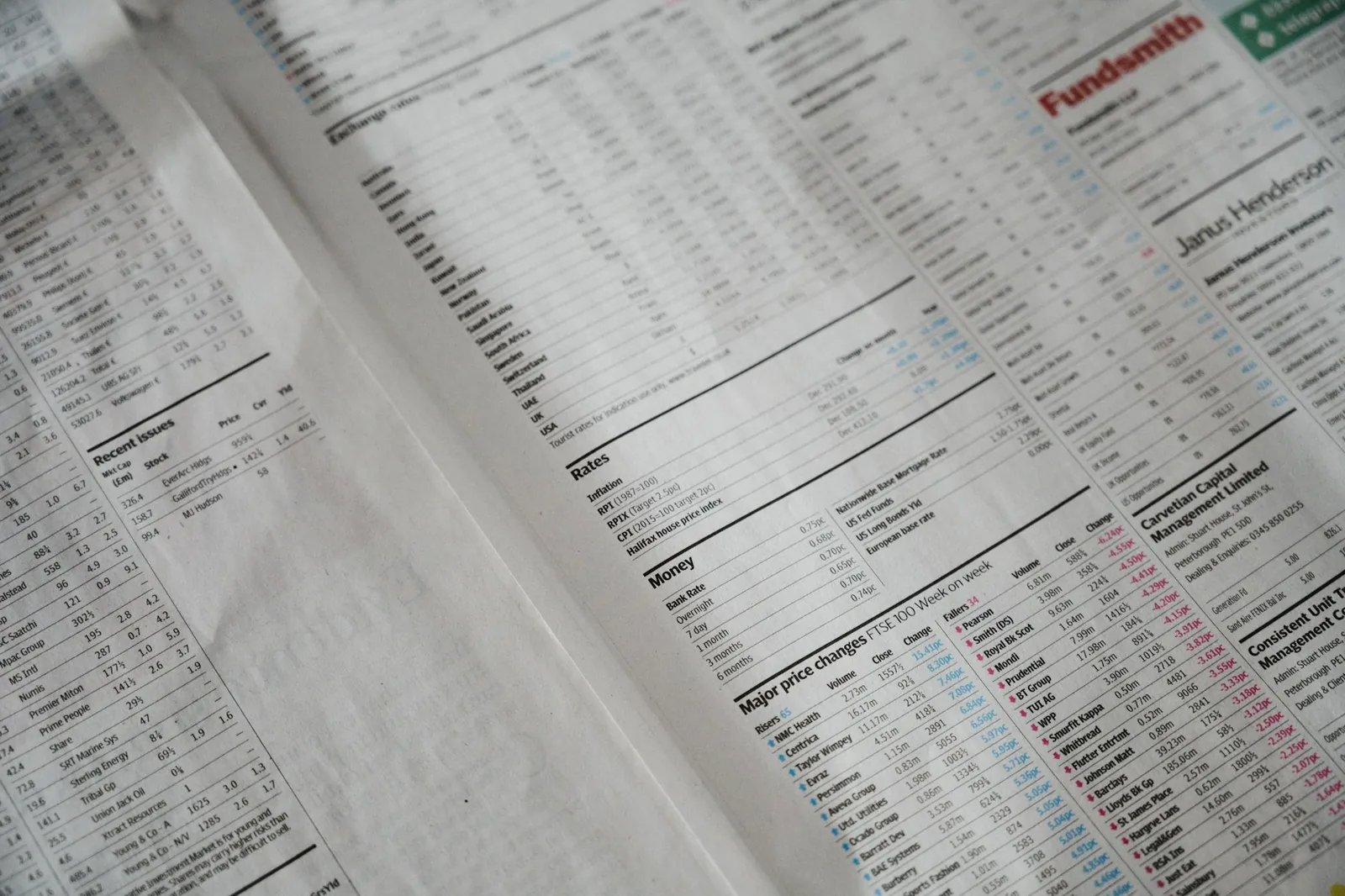
A chart of accounts (CoA) is a complete, organized list of every financial account your business uses to record transactions. Think of it as the filing system for your entire financial history. Every time money moves — a customer pays an invoice, you buy office supplies, you make a loan payment — it gets recorded in one of these accounts.
The chart of accounts sits underneath everything else in your bookkeeping. Your profit and loss statement? It's just a filtered view of your income and expense accounts. Your balance sheet? A snapshot of your asset, liability, and equity accounts. Your tax return? Your accountant maps your accounts to IRS categories. If your chart of accounts is well-structured, all of those downstream outputs are clean, accurate, and easy to understand. If it's a mess — filled with vague names, duplicate accounts, or missing categories — every report you pull will be confusing at best and misleading at worst.
This isn't a problem that only affects large companies with complex operations. Small businesses get into trouble with their chart of accounts all the time, usually because they accepted the default list their accounting software provided without customizing it, or because they added accounts one by one over the years without any real structure.
The good news: setting up a solid chart of accounts is not complicated. It requires some upfront thinking, but once you get it right, it largely runs in the background. This guide will show you exactly how to do it — including a complete 70-account sample template, account numbering conventions, naming rules, industry-specific adjustments, and how to fix an existing messy CoA without losing your historical data.
The Five Main Categories — Revisited
Every account in your chart of accounts belongs to one of five fundamental categories. These categories are universal — they apply to every business, in every industry, in every country using double-entry bookkeeping.
1. Assets
Assets are things your business owns or is owed. They have economic value and appear on the left side of your balance sheet. Assets are split into two sub-groups:
- Current assets: Things that will convert to cash within 12 months — checking accounts, savings accounts, accounts receivable (money customers owe you), inventory, and prepaid expenses.
- Non-current (long-term) assets: Things your business will hold for more than a year — equipment, vehicles, furniture, real estate, and intangible assets like patents or trademarks.
2. Liabilities
Liabilities are what your business owes to others. Like assets, they split into current and long-term:
- Current liabilities: Obligations due within 12 months — accounts payable (bills you owe vendors), credit card balances, payroll taxes payable, sales tax payable, and the current portion of any loans.
- Long-term liabilities: Obligations due beyond 12 months — business loans, mortgages, equipment financing.
3. Equity
Equity represents the owners' stake in the business — what would be left if you sold everything and paid off all debts. For a sole proprietor or single-member LLC, this is typically owner's equity and owner's draw. For an S-corp or C-corp, it includes common stock and retained earnings.
4. Income (Revenue)
Income accounts capture money your business earns from its primary operations. You might have one income account or several, depending on how many distinct revenue streams you want to track separately.
5. Expenses
Expenses are the costs of running your business. This is usually where most of your accounts live, and it's also where most of the customization happens depending on your industry.
These five categories always appear in the same order in a chart of accounts — Assets, Liabilities, Equity, Income, Expenses. This ordering is not arbitrary; it follows the accounting equation (Assets = Liabilities + Equity) and mirrors how financial statements are structured.
Account Numbering Conventions: The 1000s, 2000s, and Beyond
One of the most practical decisions you'll make when setting up your chart of accounts is your numbering system. Account numbers aren't strictly required — some small businesses use names only — but they make your life significantly easier as your books grow.
Why Use Account Numbers at All?
- They let you sort and organize accounts consistently across any software
- They make it much faster to find accounts when entering transactions
- They allow you to add new accounts in a logical order without renaming existing ones
- They're the standard your accountant and bookkeeper will expect
The Standard Block System
The most widely used convention assigns number ranges to each of the five account categories:
| Number Range | Category |
|---|---|
| 1000–1999 | Assets |
| 2000–2999 | Liabilities |
| 3000–3999 | Equity |
| 4000–4999 | Income |
| 5000–9999 | Expenses |
Some businesses split expenses further: 5000s for cost of goods sold (COGS) or direct costs, 6000s for operating expenses, 7000s for payroll, 8000s for other income and expenses. There's no single right answer here — pick a structure that matches your business complexity and stick to it.
3-Digit vs 4-Digit vs 5-Digit Account Codes
3-digit codes (e.g., 100, 200): Used by very small businesses with simple books. You'll run out of room quickly, and there's no space for sub-accounts. Not recommended unless your business has fewer than 20 accounts total.
4-digit codes (e.g., 1010, 1020): The sweet spot for most small businesses. You get 1,000 possible accounts per category, which is more than enough for a company with under $10M in revenue. This is what the sample CoA in this guide uses.
5-digit codes (e.g., 10100, 10200): Used by larger companies or those that need deep sub-account hierarchies. Also useful if you're tracking by department and want the first digit of the sub-account to indicate the department.
Leave Gaps — Intentionally
This is the rule most people skip, and it causes problems later. When you number your accounts, don't number them consecutively (1010, 1011, 1012). Instead, leave gaps. A gap of 10 between each account is common. A gap of 100 between sub-groups (like leaving 1050–1099 open for future cash accounts) is even better. Those gaps give you room to insert new accounts in the right logical position later, without having to renumber everything.
Naming Rules: How to Name Accounts Correctly
Account naming seems trivial but causes enormous confusion when done poorly. Here are the rules that will save you headaches:
Use Nouns, Not Verbs
Account names should describe a thing (a type of asset, liability, or expense), not an action.
- ❌ "Pay Rent" → ✅ "Rent Expense"
- ❌ "Collect from Customers" → ✅ "Accounts Receivable"
Vendor Names Are NOT Account Names
This is one of the most common mistakes new bookkeepers make. Your accounts should describe the type of expense, not the vendor you paid.
- ❌ "Amazon" (that's a vendor) → ✅ "Office Supplies" or "Software Subscriptions"
- ❌ "Delta Airlines" → ✅ "Travel – Airfare"
The vendor name belongs in the payee/vendor field of the transaction, not the account name. If you name accounts after vendors, your expense reports become meaningless once you switch suppliers.
Be Specific, But Not Too Specific
Aim for a level of specificity that is useful in a report without being so granular that you end up with 200 expense accounts.
- ❌ "Expenses" (too vague)
- ❌ "Monthly Subscription to Adobe Photoshop CC 2026" (too specific)
- ✅ "Software Subscriptions"
Use Consistent Formatting
Pick a convention and apply it everywhere: Title Case or Sentence case, dashes or colons for sub-categories, minimal abbreviations.
Good: Payroll – Salaries, Payroll – Contractor Fees, Payroll – Payroll Taxes
Bad: SAL, Contractor Pay (monthly), PR Tax Exp
Parent Accounts and Sub-Accounts
Most modern accounting software supports a parent/child (or header/detail) account structure. This lets you group related accounts under a parent for cleaner reporting, while still tracking the details you need.
A parent account acts as a summary. You never post transactions directly to a parent — you post to its children. The parent total is automatically the sum of its children.
6200  Payroll (parent — never post here)
  6210  Payroll – Officer Salaries
  6220  Payroll – Staff Wages
  6230  Payroll – Contractor Fees
  6240  Payroll – Payroll Taxes
  6250  Payroll – Benefits & Insurance
On your profit and loss statement, you can choose to see the parent total or expand it to see each line. This is the right balance between detail and clarity.
Use sub-accounts when: the accounts represent the same type of thing, you want them to roll up together in reports, and there are more than 2-3 of them.
Use separate top-level accounts when: the accounts represent fundamentally different categories, or you need to compare them at the same level in your reports.
Department/Class Tracking vs. Creating New Accounts
Here's a mistake that bloats charts of accounts unnecessarily: creating separate accounts for the same type of expense in different departments or locations.
Wrong approach:
6010 – Office Supplies – Marketing
6011 – Office Supplies – Operations
6012 – Office Supplies – Sales
Right approach:
6010 – Office Supplies
...and then use your accounting software's class or department tracking feature to tag each transaction with the relevant department.
This gives you the same detailed reporting without polluting your chart of accounts with repetitive entries. QuickBooks calls this feature Classes. Xero calls it Tracking Categories. Most modern software has an equivalent. If you're evaluating accounting platforms, check out how Accoru handles department and class tracking as part of its core workflow.
The same logic applies to locations, projects, and product lines. Your chart of accounts should represent types of transactions. Classes and tags represent dimensions of those transactions.
The Two Ways Charts of Accounts Fail: Sparse vs. Sprawling
The Sparse CoA
A sparse chart of accounts has too few accounts. Everything gets dumped into generic buckets like "Other Expenses" or "Miscellaneous." Symptoms: your P&L shows huge line items with no detail, you can't tell where money is being spent, tax prep takes longer, and you can't make informed decisions because the data is too aggregated.
The fix: Add meaningful accounts. If a category routinely shows up in your business and you want to track it, it deserves its own account.
The Sprawling CoA
A sprawling chart of accounts has too many accounts — often created ad hoc over time without a plan. Symptoms: 10+ accounts that are rarely or never used, multiple accounts for the same type of expense with slightly different names, vendor names used as account names, no logical numbering structure.
The fix: Consolidate, rename, and restructure. We'll cover the step-by-step cleanup process later in this guide.
The right CoA sits between these extremes. For most small businesses, 50–80 accounts is the appropriate range. A solo freelancer might need 30. A restaurant with 20 employees might need 90.
Full Sample Chart of Accounts: A Complete Small-Business Template (~70 Accounts)
Below is a complete chart of accounts suitable for a small business. This is a starting point — you'll want to add, remove, or rename accounts to fit your specific situation.
Assets (1000–1999)
| Account # | Account Name | Notes |
|---|---|---|
| 1010 | Checking Account – Primary | Main operating account |
| 1020 | Checking Account – Payroll | Separate payroll account |
| 1030 | Savings Account | Reserve / emergency fund |
| 1040 | Petty Cash | Physical cash on hand |
| 1100 | Accounts Receivable | Money owed by customers |
| 1110 | Allowance for Doubtful Accounts | Offset to A/R for estimated bad debt |
| 1200 | Inventory | Product-based businesses only |
| 1210 | Inventory – Raw Materials | Manufacturing/production |
| 1300 | Prepaid Expenses | Expenses paid but not yet used |
| 1310 | Prepaid Insurance | Insurance paid in advance |
| 1320 | Prepaid Rent | Rent paid in advance |
| 1400 | Other Current Assets | Catch-all for minor current items |
| 1500 | Equipment | Computers, machinery, tools |
| 1510 | Accumulated Depreciation – Equipment | Contra-asset |
| 1520 | Furniture & Fixtures | Office furniture |
| 1530 | Accumulated Depreciation – Furniture | Contra-asset |
| 1540 | Vehicles | Business vehicles |
| 1550 | Accumulated Depreciation – Vehicles | Contra-asset |
| 1600 | Leasehold Improvements | Improvements to leased space |
| 1700 | Security Deposits | Refundable deposits |
| 1800 | Intangible Assets | Patents, trademarks, goodwill |
Liabilities (2000–2999)
| Account # | Account Name | Notes |
|---|---|---|
| 2010 | Accounts Payable | Bills owed to vendors |
| 2100 | Credit Card – Business Visa | Track each card separately |
| 2110 | Credit Card – Business Amex | |
| 2200 | Payroll Taxes Payable | FICA, federal/state withholding |
| 2210 | Sales Tax Payable | Collected but not yet remitted |
| 2220 | Accrued Payroll | Wages earned but not yet paid |
| 2300 | Deferred Revenue | Customer payments for future work |
| 2400 | Current Portion – Long-Term Debt | Due within 12 months |
| 2500 | Business Loan Payable | Main long-term debt |
| 2510 | SBA Loan Payable | If applicable |
| 2600 | Equipment Financing Payable | Financed equipment |
| 2700 | Owner Loan Payable | If owner has loaned money to business |
Equity (3000–3999)
| Account # | Account Name | Notes |
|---|---|---|
| 3010 | Owner's Equity | Sole prop / single-member LLC |
| 3020 | Owner's Draw | Distributions taken by owner |
| 3030 | Owner's Contributions | Capital put in by owner |
| 3100 | Retained Earnings | Accumulated profits (auto-calculated) |
| 3200 | Common Stock | Corporations |
| 3210 | Additional Paid-In Capital | Corporations |
Income (4000–4999)
| Account # | Account Name | Notes |
|---|---|---|
| 4010 | Revenue – Services | Primary service revenue |
| 4020 | Revenue – Products | Product sales |
| 4030 | Revenue – Retainers | Recurring monthly revenue |
| 4040 | Revenue – Consulting | If separate from services |
| 4100 | Sales Returns & Allowances | Offset to revenue |
| 4200 | Other Income | Non-operating income |
| 4210 | Interest Income | Bank interest earned |
| 4220 | Rental Income | If applicable |
| 4230 | Gain on Sale of Assets | When selling equipment, etc. |
Cost of Goods Sold / Direct Costs (5000–5999)
| Account # | Account Name | Notes |
|---|---|---|
| 5010 | Cost of Goods Sold | Inventory cost |
| 5020 | Direct Labor | Labor tied directly to deliverables |
| 5030 | Contractor / Subcontractor Costs | Third-party work on client projects |
| 5040 | Direct Materials | Materials used in production |
| 5050 | Shipping & Freight – Outbound | Cost to ship products to customers |
| 5060 | Merchant Processing Fees | Card processing costs on sales |
Operating Expenses (6000–7999)
| Account # | Account Name | Notes |
|---|---|---|
| 6010 | Advertising & Marketing | Paid ads, promotions |
| 6020 | Marketing – Content & SEO | |
| 6030 | Marketing – Events & Sponsorships | |
| 6100 | Bank Charges & Fees | Monthly fees, wire fees |
| 6110 | Interest Expense | Loan interest |
| 6200 | Insurance – General Liability | |
| 6210 | Insurance – Professional Liability | E&O, malpractice |
| 6220 | Insurance – Health & Benefits | Employee health insurance |
| 6300 | Meals & Entertainment | 50% deductible in most cases |
| 6400 | Office Supplies | Consumable supplies |
| 6410 | Postage & Shipping | |
| 6500 | Professional Fees – Accounting | CPA / bookkeeper fees |
| 6510 | Professional Fees – Legal | Attorney fees |
| 6520 | Professional Fees – Consulting | Other outside consultants |
| 6600 | Rent – Office | Monthly lease |
| 6610 | Utilities | Electric, gas, water |
| 6620 | Telephone & Internet | |
| 6700 | Repairs & Maintenance | |
| 6800 | Software Subscriptions | SaaS tools, apps |
| 6810 | Dues & Subscriptions | Professional memberships |
| 6900 | Travel – Airfare | |
| 6910 | Travel – Lodging | |
| 6920 | Travel – Ground Transportation | Uber, rental cars |
| 6930 | Mileage Reimbursement | |
| 7000 | Payroll – Officer Salaries | Owner/officer W-2 pay |
| 7010 | Payroll – Staff Wages | Employee wages |
| 7020 | Payroll – Contractor Fees | 1099 payments |
| 7030 | Payroll – Payroll Taxes | Employer FICA, FUTA, SUTA |
| 7040 | Payroll – Benefits | 401k match, FSA contributions |
| 7100 | Depreciation Expense | Annual depreciation |
| 7200 | Taxes & Licenses | Business licenses, property tax |
| 7300 | Bad Debt Expense | When A/R is written off |
| 7400 | Miscellaneous Expense | Use sparingly |
This template gives you 70 accounts across all five categories. It's comprehensive enough to give you meaningful reporting and lean enough to stay manageable. Customize it — you almost certainly won't need every account here, and you may need a few that aren't listed.
Industry Variants: What to Add or Remove
The template above is a solid foundation, but every industry has specific needs. Here's how to adapt it for six common small-business types:
Service Business (Consultants, Coaches, Therapists)
Add: Revenue – Hourly Services, Revenue – Package/Fixed-Fee Projects, Revenue – Workshops/Courses, Contractor/Subcontractor Costs.
Remove or simplify: Entire inventory section, COGS accounts unless you have direct project costs, Shipping & Freight accounts.
Key consideration: A service business's gross margin is essentially revenue minus contractor costs and direct labor. Keep those separated from overhead so you can see your true project profitability.
E-Commerce Business
Add: Inventory – Finished Goods, Inventory – In Transit, Revenue – Product Sales, Revenue – Shipping Charged to Customers, Cost of Goods Sold, Shipping & Fulfillment, Marketplace Fees (Amazon, Etsy, etc.), Advertising – Paid Search (Google, Meta), Sales Tax Payable (by state if multi-state).
Consider: If you sell on multiple channels, decide whether you want separate revenue accounts per channel or whether you'll use classes for that breakdown.
Restaurant
Add: Food Inventory, Beverage Inventory, Food Cost, Beverage Cost, Revenue – Food Sales, Revenue – Beverage Sales, Revenue – Catering, POS System & Technology, Payroll – Front of House, Payroll – Back of House, Linen & Uniforms, Smallwares & Supplies, Pest Control, Hood Cleaning & Equipment Maintenance.
Key consideration: Food cost percentage is one of the most important metrics in a restaurant. Keep food and beverage costs as separate COGS accounts so you can calculate and monitor each independently.
Marketing or Creative Agency
Add: Revenue – Retainer Services, Revenue – Project-Based Work, Revenue – Media Buying (if you mark up media), Media Spend – Pass-Through, Subcontractors – Designers/Writers/Developers (separated), Software – Client Projects (tools billed to clients).
Key consideration: Agencies often have a complicated line between COGS and operating expenses. The rule of thumb: if a cost exists only because of a client project, it's COGS. If it exists regardless of whether you have clients, it's overhead.
SaaS Business
Add: Revenue – Subscriptions (MRR), Revenue – One-Time Setup/Onboarding, Revenue – Professional Services/Consulting, Hosting & Infrastructure (cloud costs tied to revenue), Third-Party API Costs (costs that scale with usage), Deferred Revenue (critical for SaaS — annual prepays).
Remove: Inventory accounts, physical shipping accounts.
Key consideration: Deferred revenue is especially important for SaaS companies that take annual prepayments. When a customer pays $1,200 for an annual subscription, that entire amount is not revenue on day one — $100/month gets recognized over the year.
General Contractor / Construction
Add: Work in Progress (WIP), Revenue – Residential/Commercial Projects, Revenue – Change Orders, Materials – Lumber/Plumbing/Electrical (separated), Subcontractors, Equipment Rental, Tools & Small Equipment, Permits & Inspections, Contractor's General Liability Insurance, Workers' Comp Insurance.
Key consideration: Job costing is essential in construction. Use your accounting software's job or project tracking alongside your chart of accounts — not instead of it.
Importing Your Chart of Accounts into New Software
If you're setting up a brand new accounting system — or switching from one platform to another — you'll need to import your chart of accounts. Here's how to do it cleanly:
Step 1: Export from Your Current System. Most platforms let you export the CoA as a CSV or spreadsheet. The export should include account number, account name, account type, and optionally the parent account.
Step 2: Clean the Export Before Importing. Remove accounts you haven't used in the last 12 months. Rename any accounts with vendor names or vague labels. Fill in missing account numbers. Verify the account type for every account (this determines which financial statement it appears on).
Step 3: Map to the New System's Account Types. Different software uses slightly different terminology. QuickBooks uses types like "Bank," "Accounts Receivable," "Other Current Asset." Xero uses "Current Account," "Term Liability," etc. When you import, make sure you map each account to the correct type in the new system.
Step 4: Import and Verify. After importing, check that your balance sheet shows the right account groupings, that all income and expense accounts appear on the P&L, and that sub-account totals roll up correctly to their parents.
If you're considering a switch from a legacy platform, read our comparison on Accoru as a QuickBooks alternative — particularly how it handles CoA migration.
Restructuring an Existing Messy Chart of Accounts: The 5-Step Cleanup
If your current chart of accounts is a disaster, don't panic. You can fix it — even mid-year. Here's the process:
Step 1: Export Everything and Do a Full Audit
Export your entire chart of accounts to a spreadsheet. Add a column for "Status" with options: Keep, Rename, Merge, Delete. Go through every account and make a decision. For each account, ask: Has this been used in the last 12 months? Is the name clear and descriptive? Is it unique (no duplicates)? Is it posted to directly, or is it a summary/parent account?
Step 2: Identify Duplicates and Consolidate
Look for accounts that represent the same thing. Common duplicates: "Meals" and "Meals & Entertainment" and "Business Meals" (all the same thing); "Subscriptions" and "Software" and "Software Subscriptions"; "Office" and "Office Supplies" and "Office Expense." Decide which name you'll keep and which accounts need to be merged. In most accounting software, you can merge two accounts — all historical transactions from the deleted account move to the surviving account.
Step 3: Fix Account Types
This is critical. If an account has the wrong type (e.g., a liability account accidentally typed as an expense, or an income account categorized as equity), your financial statements will be wrong. Fix the type before anything else.
Step 4: Rename and Renumber
Once you know which accounts you're keeping, rename them using the naming rules from earlier in this guide. Then assign or clean up account numbers so there's logical ordering and gaps for future additions.
Step 5: Add Missing Accounts
Now that you've cleaned up what exists, identify what's missing. Where are transactions going into "Other Expenses" or "Miscellaneous" that really deserve their own account? Add those accounts now.
A note on historical data: When you rename or restructure accounts, your historical reports will update to reflect the new names. This is usually fine and often preferable — cleaner names make old reports easier to read too. If you merge two accounts, the transactions from both will appear under the surviving account name going forward.
Accountant-Friendly Conventions
Your bookkeeping system doesn't exist in isolation — it needs to be understandable to your CPA at tax time, to a potential buyer if you ever sell the business, and to a lender if you apply for financing. Here are conventions that make your CoA accountant-friendly:
Follow GAAP naming where possible. Terms like "Accounts Receivable," "Accounts Payable," "Retained Earnings," and "Cost of Goods Sold" have standard meanings. Using them makes your statements immediately legible to any financial professional.
Keep contra-accounts paired with their parent. A contra-asset like "Accumulated Depreciation – Equipment" should be numbered right after its parent "Equipment" (e.g., 1500 and 1510). This makes the balance sheet easier to read.
Separate operating income from other income. Put revenue from your core business in the 4000s. Put interest income, gains on asset sales, and other non-operating income in a separate section (4200+). This makes it easy to see your true operating performance.
Don't bury equity transactions in expense accounts. Owner draws, distributions, and personal expenses paid by the business should go to equity or draw accounts — not to business expenses. Mixing these distorts your P&L.
Use a consistent fiscal year. Most small businesses use a calendar year (Jan–Dec). If you're on a different fiscal year, make sure your CoA and your software settings match.
How Your Chart of Accounts Maps to Financial Reports
Understanding which accounts flow into which reports helps you make smarter decisions about your CoA structure.
Profit & Loss Statement (Income Statement)
Your P&L shows revenue, cost of goods sold, gross profit, operating expenses, and net income — all for a specific period.
- Income accounts (4000s) → Revenue section
- COGS accounts (5000s) → Cost of Goods Sold section
- Operating expense accounts (6000–7000s) → Operating Expenses section
- Other income accounts → Other Income section
Gross profit = Revenue minus COGS. This is why it's so important to correctly identify which costs are truly direct (COGS) vs. overhead (operating expenses). Mixing them distorts your gross margin, which is often the single most important metric for understanding business health.
Balance Sheet
Your balance sheet shows what you own, what you owe, and what's left — at a specific point in time.
- Asset accounts (1000s) → Assets section
- Liability accounts (2000s) → Liabilities section
- Equity accounts (3000s) → Equity section
The balance sheet must balance: Total Assets = Total Liabilities + Total Equity. If it doesn't, there's a data entry error somewhere.
Tax Return
Your accountant will map your CoA accounts to IRS Schedule C categories (sole proprietor), Form 1120-S (S-corp), or Form 1065 (partnership). A well-organized CoA makes this mapping straightforward. A messy one forces your CPA to dig through individual transactions — and bill you for the time.
If you want to see how Accoru's reporting tools connect your chart of accounts to these statements automatically, the features page has a full breakdown.
Common Chart of Accounts Mistakes
Mistake 1: Using "Miscellaneous" or "Other" as a catch-all. Every time a transaction goes to Miscellaneous, you've lost information. Use it only for truly one-off, uncategorizable items — and review those transactions quarterly.
Mistake 2: Creating new accounts instead of using existing ones. Before you create a new account, ask whether an existing account already covers it. Adding accounts should be a deliberate decision, not a default response to encountering a new transaction type.
Mistake 3: Not distinguishing personal from business. If you run personal expenses through your business accounts, your financials are wrong. Period. Maintain strict separation, and if a personal expense accidentally hits the business account, reclassify it to an owner's draw account.
Mistake 4: Incorrectly typing accounts. An income account typed as an expense will show up in the wrong place on your P&L. A liability account typed as an equity account will break your balance sheet. Verify types carefully during setup.
Mistake 5: Never reviewing the CoA. Your chart of accounts should be reviewed at least annually. Remove unused accounts, add missing ones, and make sure it still reflects how your business operates.
Mistake 6: Mixing COGS and operating expenses. Putting all costs into "expenses" makes it impossible to calculate gross margin. If a cost is directly tied to delivering your product or service, it belongs in COGS.
When to Add a New Account vs. Use a Memo
Not every distinction needs its own account. Here's a simple rule:
Create a new account when: you need to see that type of expense as its own line item in your reports regularly; your accountant or lender needs to see it separately; it's a tax category that needs to be reported separately (like meals at 50% deductibility); or it represents a significant and recurring cost in your business.
Use a memo/note instead when: it's a one-off transaction; the distinction matters only for context, not for reporting; the amount is too small to warrant a separate account; or you want to track which vendor you used (that's what the payee field is for).
As a general rule: if you're going to look at this line item on a report every month and make decisions based on it, give it an account. If not, don't.
Locking Historical Accounts
Once your books are closed for a period — especially once tax returns have been filed — you should lock those periods against changes. Most accounting software lets you set a "closing date" or "lock date" that prevents transactions from being entered or modified before that date without a password.
Why this matters for your chart of accounts: if someone reclassifies a historical transaction into a different account after the books are closed, your historical reports change — which can cause discrepancies with your filed tax returns.
Best practices: set a lock date at the end of each quarter; after your CPA files your return, set a permanent lock date at the end of that tax year; give your bookkeeper access to the lock date setting only if necessary; never delete an account that has historical transactions — mark it inactive instead.
Marking an account inactive (rather than deleting it) is critical. When you delete an account with historical transactions, those transactions either get moved to a catch-all account or cause errors. When you mark an account inactive, it disappears from your transaction entry dropdown but the historical data remains intact and correct.
Connecting Your CoA to Business Decisions
The ultimate purpose of your chart of accounts isn't compliance — it's decision-making. A well-structured CoA gives you the information you need to run your business intelligently.
Want to know if your marketing spend is delivering results? You need marketing expenses in their own accounts so you can track them accurately over time. Want to understand why your profitability dropped this quarter? You need enough account detail to isolate which costs increased. Want to make a case to a bank for a loan? Your financial statements need to be clean, organized, and immediately readable.
The businesses that struggle with financial decisions are usually the ones whose books are a mess — not because they don't have enough data, but because the data they have is organized in a way that makes it impossible to extract meaning.
If you're starting fresh or considering a move to a more modern platform, Accoru's pricing page shows how you can get started with a clean setup and proper CoA structure from day one — without paying enterprise prices.
Quick Reference: Chart of Accounts Setup Checklist
Before you finalize your CoA, run through this checklist:
- All five account categories are represented (Assets, Liabilities, Equity, Income, Expenses)
- Account numbers are assigned with gaps for future additions
- Every account name describes a type of transaction, not a vendor or action
- No duplicate or near-duplicate accounts
- Sub-accounts are grouped under parent accounts where appropriate
- Department tracking uses classes, not separate accounts
- COGS accounts are separated from operating expenses
- Contra-accounts (accumulated depreciation, allowance for doubtful accounts) are included
- Deferred revenue account exists if you take advance payments
- Owner's draw and owner's equity accounts are distinct from business expenses
- Account types are verified for every account
- A lock date has been set for previously closed periods
- The CoA has been reviewed with your accountant or bookkeeper
Final Thoughts
Setting up a chart of accounts is one of the most high-leverage things you can do for your small business finances. It takes a few hours to do it properly — and that investment pays off every single month when your reports are clean, your bookkeeping is consistent, and your accountant doesn't have to untangle a mess at year-end.
Start with the template in this guide. Remove what you don't need. Add what's specific to your industry. Get your numbering system in place. Set your naming conventions. Then leave it alone — your CoA should be stable infrastructure, not something you tinker with every time you encounter a new vendor.
And if you're working with a bookkeeper or accountant, share this guide with them before your next meeting. Having a shared vocabulary around chart of accounts structure will make the conversation significantly more productive.
For more on how a modern accounting platform handles all of this — from CoA setup to automated reporting — visit Accoru's features page for a full overview.
FAQs
How many accounts should a small business have in its chart of accounts?
Most small businesses do well with 40 to 80 accounts. A solo freelancer might need only 30, while a restaurant with employees could reasonably have 90 or more. The goal is to have enough accounts to produce meaningful reports without so many that the list becomes unmanageable. If you find yourself with hundreds of accounts, it's time for a cleanup.
Do I have to use account numbers in my chart of accounts?
No, account numbers aren't strictly required — especially in simple accounting software for very small businesses. But they're strongly recommended. Account numbers give you a consistent way to sort and organize accounts, make it easier to insert new accounts in the right place, and are the standard your accountant and bookkeeper will expect.
What's the difference between a chart of accounts and a general ledger?
Your chart of accounts is the list of all accounts — essentially the index. Your general ledger is the full record of all transactions, organized by account. Think of the CoA as a table of contents and the general ledger as the book itself. Every transaction posted to your general ledger references an account from your chart of accounts.
Can I use the default chart of accounts that comes with my accounting software?
You can use it as a starting point, but you should always customize it for your specific business. Default CoAs are designed to be generic enough to work for any business, which means they're usually not optimized for any particular business. They often include accounts you'll never use and are missing accounts specific to your industry.
What is the difference between COGS and operating expenses?
COGS (cost of goods sold) or direct costs are expenses that exist only because of a specific sale or client project — inventory, direct labor, subcontractors, materials used in production. Operating expenses are overhead costs that exist regardless of whether you have any sales — rent, insurance, software subscriptions, payroll for administrative staff. The distinction matters because gross profit (revenue minus COGS) is a key performance metric.
How do I handle accounts when I restructure my chart of accounts mid-year?
You can restructure mid-year without losing historical data. When you rename an account, the new name applies to all historical transactions. When you merge two accounts, all transactions from the deleted account move to the surviving one. The only thing to be careful about is changing account types — this can affect how historical transactions appear on financial statements.
Should I create separate accounts for different departments?
Generally, no. Creating separate accounts for the same type of expense in different departments bloats your chart of accounts unnecessarily. Instead, use your accounting software's class or department tracking feature to tag transactions with the relevant department. This gives you the same detailed reporting with a much cleaner account list.
What does it mean to 'lock' historical accounts?
Locking historical accounts (by setting a closing date in your accounting software) prevents anyone from adding, modifying, or deleting transactions before that date without a password. This protects your historical records — especially important after your CPA files your tax return. It prevents accidental changes that would cause your current books to disagree with your filed returns.
Can I delete an account from my chart of accounts?
You can delete an account only if it has zero transactions. If an account has any historical transactions, you should mark it inactive instead of deleting it. Marking an account inactive hides it from your transaction entry dropdown (so you can't accidentally use it) but preserves all historical data. Deleting an account with transactions can cause errors or move those transactions to a catch-all account, corrupting your historical records.
How do I know if my chart of accounts is set up correctly?
Run a balance sheet and a profit and loss statement and review them carefully. On the balance sheet, check that it balances (Assets = Liabilities + Equity) and that all accounts appear in the right section. On the P&L, check that revenue and expense accounts are in the right places and that COGS is separated from operating expenses. Then have your accountant or bookkeeper review the structure — ideally before you've entered a full year of transactions.