Still on QuickBooks? Here Is Why Small Businesses Are Leaving
QuickBooks has the biggest market share in small business accounting. It also has the most businesses actively looking for alternatives. Here is what is driving them out.

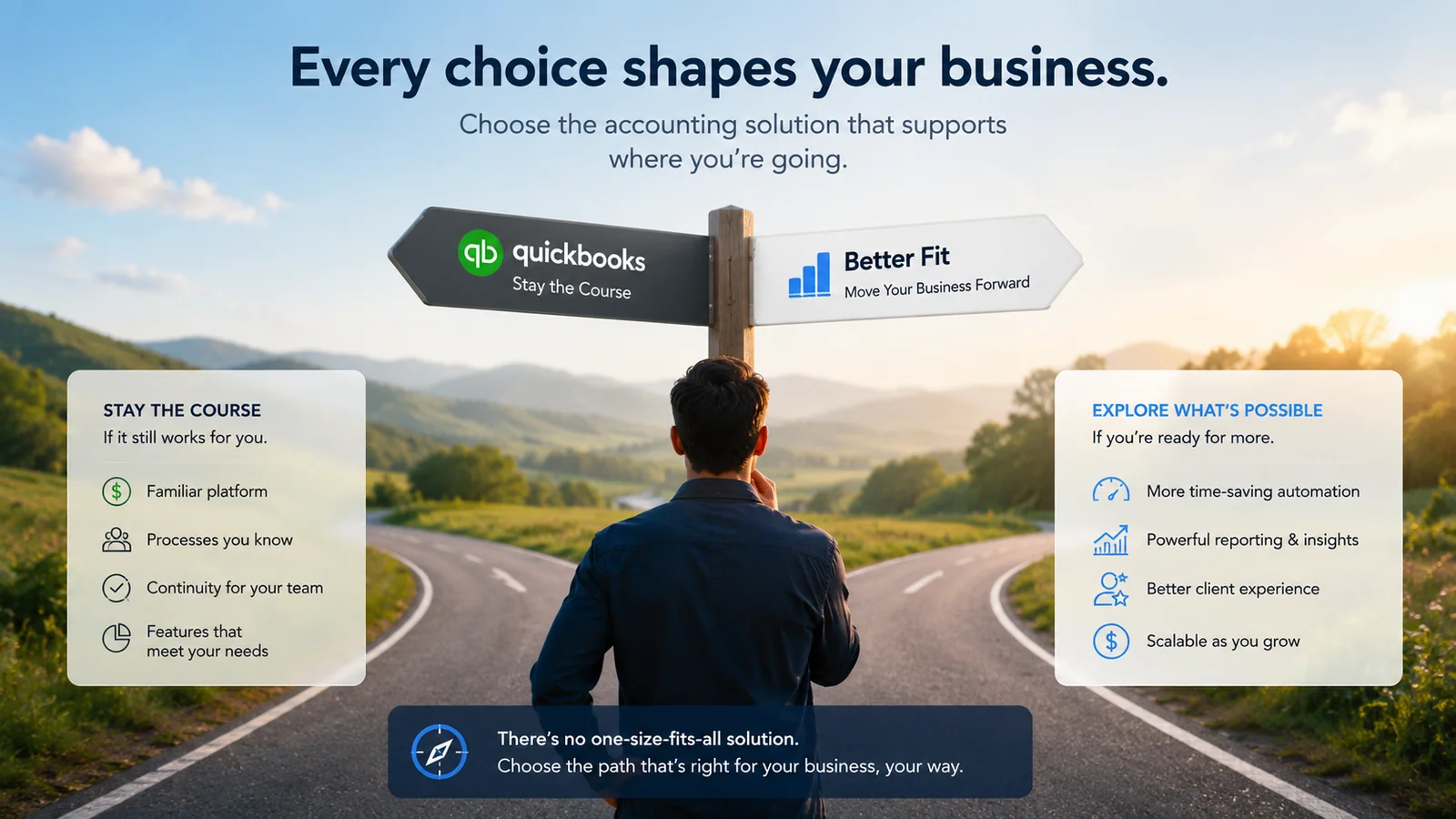
QuickBooks is the most widely used small business accounting software in the United States. It has been for decades. If you ask ten small business owners what accounting software they use, statistically several of them will say QuickBooks — often because it was recommended by their accountant years ago, or because it was the default choice when they needed something and QuickBooks was the name they recognized.
And yet QuickBooks also generates more searches for alternatives than almost any other accounting software. "QuickBooks alternative", "switch from QuickBooks", "QuickBooks too expensive" — these are consistently high-volume searches from business owners who are actively looking for a way out.
This is not a coincidence. It reflects a genuine mismatch between what QuickBooks was built for and what many of the small businesses using it actually need.
This post covers the specific reasons small businesses are leaving QuickBooks — the real complaints, the real limitations, and the real costs that push business owners to look elsewhere. Not as a hit piece, but as an honest assessment of where the platform genuinely falls short for a significant proportion of its user base.
Reason 01 — The Price Keeps Going Up
QuickBooks has raised its prices multiple times in recent years. Each increase is communicated in an email, often framed as reflecting the value of improvements to the platform. For business owners who were already questioning whether the price was justified, each increase adds urgency to the question.
The headline plan prices are only part of the story. The full cost picture includes:
Per-user fees. Every additional user — a bookkeeper, a business partner, an employee who records expenses — adds to the monthly bill. For a small team of three or four people who all need platform access, the per-user fees can add as much to the monthly cost as the base plan itself.
Add-on costs. Payroll is not included in any QuickBooks Online plan. Time tracking beyond the basic version requires QuickBooks Time. Advanced reporting requires the Advanced plan. Each legitimate business need that requires an add-on is another monthly line item.
The promotional pricing trap. QuickBooks consistently offers significant introductory discounts — typically 50% off for new customers. After the promotional period expires, the full price applies. Many business owners who signed up at a discounted rate are now paying full price without having consciously made the decision to do so.
The total cost reality. A small service business on QuickBooks Essentials with one additional user, basic payroll for three employees, and QuickBooks Time is paying substantially more than the headline Essentials price. The gap between advertised price and actual monthly cost is wide enough to be genuinely surprising when it surfaces.
For businesses getting full value from QuickBooks' depth — using inventory management, project tracking, class tracking, and detailed reporting regularly — the cost may be proportionate. For businesses primarily using it for invoicing, expense tracking, and basic reporting, the cost is harder to justify when alternatives cover those needs for significantly less.
Reason 02 — It Is Too Complicated for Non-Accountants
QuickBooks was built by accountants for accountants — and then marketed to small business owners. The gap between the design philosophy and the intended user is one of the most consistent sources of frustration.
The terminology. QuickBooks uses accounting terminology throughout — chart of accounts, journal entries, debits and credits, classes, sub-accounts. For business owners without an accounting background, this language creates friction at every step. Simple tasks require learning concepts that many business owners neither need nor want to understand.
The navigation. QuickBooks has a lot of features. Finding the right one in the right context requires familiarity with the platform's structure — which takes time to develop. Business owners who log in monthly rather than daily often have to rediscover where things are every time.
The error messages. When something goes wrong in QuickBooks — a transaction that will not match, a reconciliation that will not balance, an import that fails — the error messages are often technical and unhelpful for users without accounting knowledge.
The result. Many QuickBooks users develop a pattern of avoidance. They find the parts of the platform that work for them — typically invoicing and basic expense logging — and avoid everything else. Their books are partially managed in QuickBooks and partially managed in workarounds — spreadsheets, notes, separate tools.
This avoidance has real consequences. Bank reconciliation gets skipped. Financial reports go unreviewed. Tax preparation becomes stressful. The accounting software that was supposed to give them financial clarity is instead a source of anxiety and incomplete records.
Software that business owners avoid using is not serving them — regardless of how powerful it theoretically is.
Reason 03 — The Entry Plan Is Not Really an Entry Plan
Simple Start is QuickBooks' most affordable plan — and the price that gets advertised. But Simple Start is limited in a way that makes it unsuitable for most small businesses:
One user only. The moment a second person needs access — a business partner, a bookkeeper, an employee who records expenses — Simple Start is no longer viable. The upgrade to Essentials is mandatory.
No bill management. Simple Start does not include the ability to enter and track bills from suppliers. For any business that receives invoices from suppliers and needs to track what it owes, Simple Start is inadequate.
No time tracking. Service businesses that bill by the hour need time tracking. Simple Start does not include it.
The businesses that can genuinely operate on Simple Start are very few — a solo operator with no collaborators, no supplier bills, and no hourly billing. Most small businesses reach the ceiling of Simple Start quickly and are forced to upgrade to Essentials — at a significantly higher price.
The practical effect is that the advertised entry price is not the effective entry price for most small businesses. The real entry price for a typical small business is the Essentials price — which is substantially higher.
Reason 04 — Support Is Inconsistent and Frustrating
QuickBooks support has a well-documented reputation for inconsistency. The complaints are consistent and widespread:
Long wait times. Phone and chat support often involves significant waits — which is genuinely inconvenient when you have an accounting issue that is blocking your work.
Variable quality. Support representative quality varies significantly. Some users report getting helpful, knowledgeable responses. Others report being bounced between representatives, receiving incorrect information, or having issues unresolved after multiple contacts.
Phone support availability. Live phone support is not available on all plans and at all hours. For business owners who prefer to speak to someone when something goes wrong, the availability constraints are frustrating.
The knowledge base. QuickBooks has an extensive online knowledge base. It is comprehensive but not always easy to navigate to the specific answer you need — particularly for users without accounting vocabulary to describe their problem precisely.
The support frustration is particularly acute for business owners who encounter problems at critical moments — month-end reconciliation, tax preparation time, payroll processing. The inability to get timely, accurate help when financial processes are blocked is one of the most commonly cited reasons for switching.
Reason 05 — Bank Feed Reliability Issues
QuickBooks' bank feed — the automatic import of bank transactions — is one of the platform's most valuable features. When it works reliably, it saves significant time. When it does not, it creates significant problems.
Bank feed reliability issues are among the most commonly reported QuickBooks complaints:
Connections that drop. Bank feed connections to specific financial institutions periodically break — requiring reconnection. This often happens without notification, meaning transactions stop importing silently until the user notices the gap.
Duplicate transactions. Some bank feed configurations import duplicate transactions — creating reconciliation headaches that require manual cleanup.
Missing transactions. Occasionally, transactions that appear on the bank statement are not imported through the feed — creating reconciliation discrepancies that require manual investigation.
Delayed imports. Some bank connections have delays of 24–48 hours or more — meaning the transaction feed does not reflect the current bank balance.
These issues are not universal — many QuickBooks users have reliable bank feed connections with no recurring problems. But the frequency of bank feed complaints in QuickBooks user communities suggests it is a widespread enough issue to be a genuine platform weakness.
Reason 06 — Pricing Punishes Growth
One of the more frustrating aspects of QuickBooks pricing for growing businesses is that the cost increases as the business grows — not because the business needs more sophisticated features, but because it needs more users.
A business that grows from one person to three people does not necessarily need more accounting functionality. But it does need more people to have platform access — which on QuickBooks means upgrading to a higher plan and paying per-user fees.
The message this sends is that growth is expensive. Every new team member who needs accounting access comes with a recurring cost increase. For business owners who are watching their overhead carefully as they grow, this creates a perverse dynamic where expanding the team means reviewing whether QuickBooks is still the right platform.
Flat-rate pricing platforms — where the price does not change as you add users — remove this friction entirely. The accounting platform cost is predictable and does not scale with headcount.
Reason 07 — Features Are Locked Behind Tiers
Beyond the user fee issue, QuickBooks' tiered feature structure means that several features many small businesses consider basic are only available on higher-cost plans:
Inventory tracking requires the Plus plan — not available on Simple Start or Essentials.
Project profitability tracking requires Plus.
Budget creation and budget vs actual reporting requires Plus.
Class and location tracking requires Plus.
Advanced reporting requires Advanced.
For businesses that need any of these features, the minimum plan cost is Plus — significantly more than Simple Start or Essentials. Many small businesses find themselves on Plus not because they need everything Plus includes, but because one specific feature they need is locked behind the Plus paywall.
The result is paying for multiple features they do not use in order to access one feature they do. This is the definition of poor feature-to-price alignment — and it is a common driver of the switch away from QuickBooks.
Reason 08 — The Interface Has Not Kept Up
QuickBooks Online has been updated and redesigned over the years — but it carries the weight of its legacy. The interface feels like a large, complex platform that has been incrementally updated rather than fundamentally reimagined.
Modern software — particularly the platforms that QuickBooks switchers are moving to — tends to have cleaner interfaces, more logical navigation, and workflows designed around the user's mental model rather than the underlying accounting structure.
The comparison is stark for business owners who have tried both. The difference is not just cosmetic — a cleaner interface means tasks take less time, errors are less frequent, and users engage with the platform more willingly.
Interface quality affects usage patterns. Business owners who find their accounting platform pleasant to use log in more often, keep their records more current, and get more value from their data. Business owners who find it frustrating log in as infrequently as possible and do the minimum required.
QuickBooks' interface improvements have narrowed this gap over time — but have not closed it completely.
Reason 09 — Accountant Dependency
Many small businesses are on QuickBooks primarily because their accountant recommended it — often years ago. The recommendation made sense at the time — the accountant knows QuickBooks, uses it daily, and can work most efficiently with clients who use the same platform.
But this creates a form of dependency that is worth examining:
The accountant benefits from QuickBooks familiarity. Their recommendation is partly driven by what is easiest for them — not necessarily what is best for the business owner.
Platform alternatives have matured. The accountant familiarity argument was stronger when QuickBooks was the only serious option. Today, most accountants can work with exported reports, CSV data, or accountant access portals across multiple platforms. The dependency is less absolute than it was.
The accountant may not be reviewing regularly. Many small businesses on QuickBooks do not have their accountant actively in the platform throughout the year — they prepare data at year end and send it to the accountant. For businesses in this situation, the accountant's platform preference is a minor factor compared to the business owner's day-to-day experience.
Asking your accountant whether they can work with a non-QuickBooks platform — before assuming you are locked in — often reveals more flexibility than expected.
Reason 10 — Better Alternatives Now Exist
Perhaps the most honest reason small businesses are leaving QuickBooks is simply that better alternatives exist for their specific needs — and awareness of those alternatives is growing.
When QuickBooks established its market dominance, the alternatives were significantly less capable. The choice was genuinely between QuickBooks and inferior options.
That is no longer the case. Several platforms now offer comparable accounting functionality — invoicing, expense tracking, bank reconciliation, financial reports, multi-currency — at lower price points, with better interfaces, and without the feature-gating and per-user fees that make QuickBooks expensive for many businesses.
The switching cost — migrating data, re-establishing bank connections, learning a new platform — is real but manageable. For businesses that are actively frustrated with QuickBooks, the one-time switching cost is recovered quickly through lower monthly costs and a platform that better fits their actual needs.
Who Should Stay on QuickBooks
This analysis is not an argument that everyone should leave QuickBooks. There are specific situations where staying makes sense:
Your accountant actively manages your books in QuickBooks daily. Platform alignment with a deeply involved accountant has genuine efficiency value. If your accountant is in QuickBooks regularly, switching creates friction that may not be worth the disruption.
You use QuickBooks deeply. If you use inventory management, project profitability tracking, class tracking, budget vs actual reporting, and the full reporting library — you are getting value from the depth that justifies the cost.
You need QuickBooks Payroll integration. If integrated payroll is important and QuickBooks Payroll works well for your business, the payroll integration may justify staying on the platform.
You have complex integration requirements. If specific third-party tools you rely on only integrate with QuickBooks, the integration dependency may outweigh the cost concerns.
Who Should Consider Switching
You primarily use QuickBooks for invoicing and expense tracking — and are paying for Essentials or Plus features you do not use. The cost-to-value ratio is poor.
You find it too complex — and avoid using it fully as a result. Software you avoid is not serving you regardless of its theoretical capability.
The cost has become hard to justify — particularly after promotional pricing expired and the full price took effect.
You have a growing team and per-user fees are escalating your monthly cost without adding functionality you need.
You need multi-currency on a plan that does not include it — and are paying Plus price primarily for that feature.
Your accountant is platform-agnostic — and the primary reason you are on QuickBooks is inertia rather than genuine preference.
How to Switch From QuickBooks
If the reasons above resonate and you are considering switching, the process is more manageable than most people expect.
Step 01 — Choose your replacement platform carefully. Identify what you actually need — invoicing, expense tracking, bank reconciliation, reports, multi-currency, team access — and find a platform that covers those needs at appropriate pricing. Do not switch to another platform with the same limitations in different areas.
Step 02 — Export your QuickBooks data. QuickBooks allows you to export your chart of accounts, customer lists, vendor lists, and transaction history in standard formats. Do this before closing your account.
Step 03 — Choose a transition date. The start of a new financial year is the cleanest transition point. Your old platform covers the previous year. Your new platform starts with a clean opening balance.
Step 04 — Set up the new platform. Import your chart of accounts and client data. Enter opening balances. Connect your bank accounts.
Step 05 — Run both platforms briefly. For the first month, run both platforms in parallel — confirming the new platform produces consistent results before fully committing.
Step 06 — Inform your accountant. Your accountant needs to know you have switched and understand how to access your new platform. If they need reports in a specific format, confirm the new platform can produce them.
The total time investment is typically a few hours for a small business — not the daunting project most people imagine.
Summary
QuickBooks is not a bad product. It is a powerful, comprehensive accounting platform that serves specific businesses very well — those that use its depth, work closely with accountants who know it, and need its integration breadth.
But it is the wrong platform for a significant proportion of the small businesses currently using it — businesses that are paying for complexity they do not need, navigating an interface designed for accountants rather than business owners, and watching their monthly costs increase while using 20% of the features they are paying for.
The reasons small businesses are leaving QuickBooks are consistent:
- Pricing that increases with users and add-ons
- Complexity that business owners without accounting backgrounds find frustrating
- An entry plan that most businesses quickly outgrow
- Inconsistent support quality
- Bank feed reliability issues
- Features locked behind higher-cost tiers
- Interface that has not kept pace with modern alternatives
- Better alternatives that now exist for comparable features at lower cost
The question worth asking is not whether QuickBooks is good — it is whether QuickBooks is right for your specific business. For many small businesses, the honest answer is no.
Frequently Asked Questions
Q: Is switching from QuickBooks difficult? A: Less difficult than most people expect. QuickBooks allows you to export your data in standard formats. Most alternative platforms accept QuickBooks data imports. The process for a small business typically takes a few hours. The most practical time to switch is the start of a new financial year — when historical data from the previous year is complete and the new platform starts clean.
Q: Will my accountant be able to work with a non-QuickBooks platform? A: Most accountants can work with any platform that supports accountant access and standard report formats. Ask your accountant before assuming you are locked in — many are more flexible than their initial recommendation suggests. Accountants who actively manage client books in QuickBooks daily have a stronger preference. Accountants who primarily review reports and prepare filings can usually work with any platform that exports professional financial statements.
Q: What do I lose by leaving QuickBooks? A: The primary things you lose are QuickBooks' integration breadth — the largest third-party app ecosystem in the market — and accountant familiarity in the US market. If neither of these is critical to your specific situation, the loss is minimal. If you rely on specific QuickBooks integrations or have an accountant who requires QuickBooks, these are genuine considerations.
Q: What should I look for in a QuickBooks replacement? A: Cover the features you actually use — invoicing, expense tracking, bank reconciliation, financial reports, and any specific features relevant to your business. Ensure the pricing model does not replicate QuickBooks' problems — tiered features and per-user fees are common sources of dissatisfaction. Look for a platform designed for business owners rather than accountants if you manage your own books without accounting background.
Q: How much can I save by switching from QuickBooks? A: It depends on your current plan and usage. Solo operators on Simple Start can find comparable functionality at lower prices. Businesses on Essentials or Plus with multiple users and add-ons can often save significantly — particularly if moving to a flat-rate platform with no per-user fees. Calculate your current total monthly QuickBooks cost — including all add-ons and user fees — and compare it to flat-rate alternatives that cover your actual feature needs.
Q: Can I keep my QuickBooks data after switching? A: Yes. Export your data from QuickBooks before cancelling — chart of accounts, transaction history, client lists, and reports. Store these exports permanently — they are your financial records and you may need them for tax purposes for several years after switching. Most accounting platforms accept QuickBooks data imports for historical continuity.
If the reasons above resonate with your QuickBooks experience, Accoru covers the features most small businesses actually use — invoicing, expense tracking, bank reconciliation, and financial reports — at a flat price with no per-user fees, no feature tiers, and no promotional pricing that reverts to a higher rate.