Wave Accounting Review — The Real Cost of Free
Wave calls itself free accounting software. For some businesses it genuinely is. For others, the hidden costs exceed what paid alternatives charge. Here is the full picture.

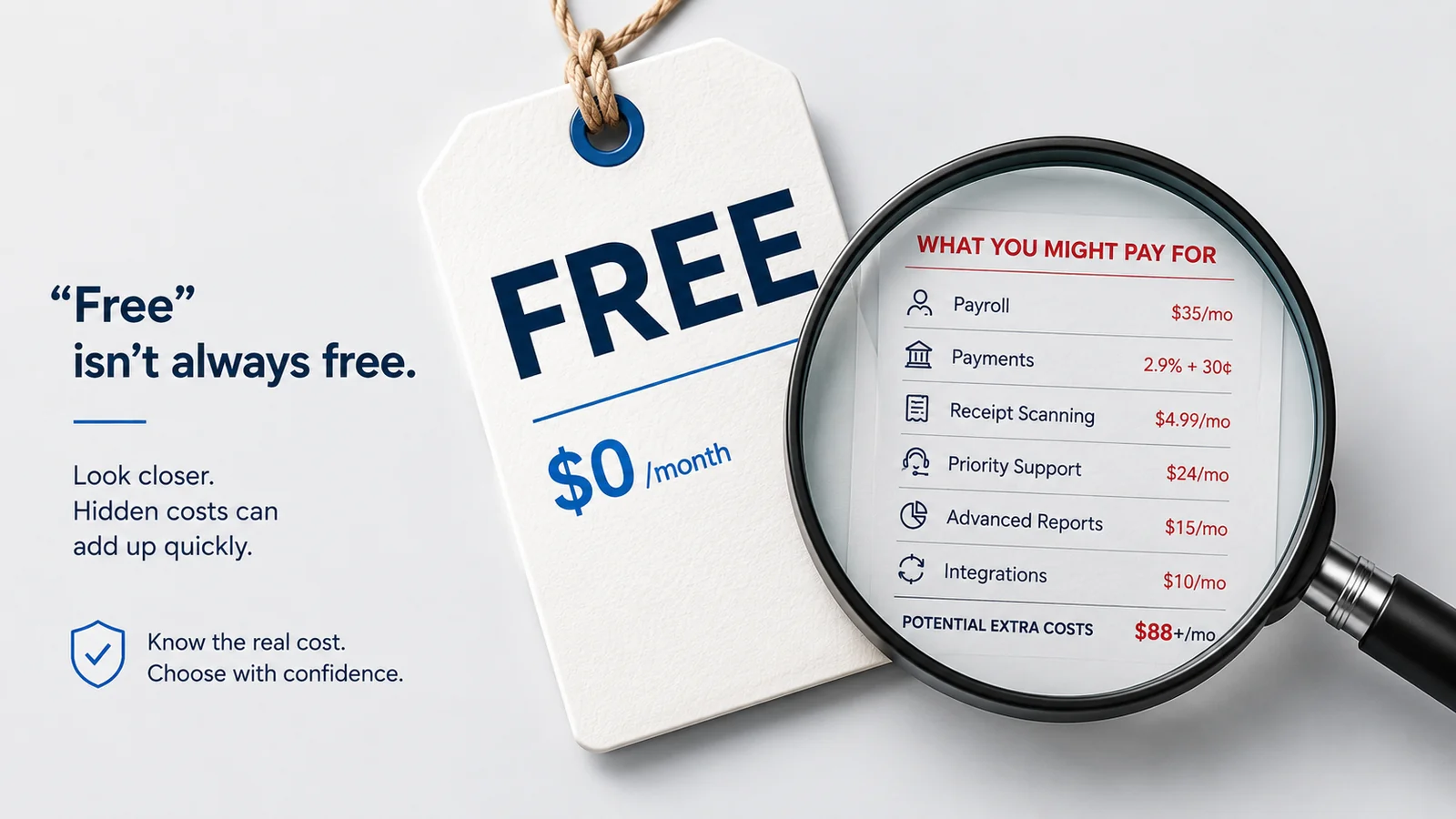
Wave is one of the most searched accounting software platforms among small businesses and freelancers — and the reason is obvious. In a market where most accounting software costs $15–50 per month, Wave offers its core accounting, invoicing, and receipt scanning features for free.
That is not a trial. Not a limited version. The software itself is genuinely free.
For certain businesses, this is exactly what it sounds like — a functional accounting platform at zero monthly cost. For others, the total cost of using Wave significantly exceeds what paid alternatives would charge — and the feature limitations become apparent at exactly the wrong moment.
This review covers Wave honestly — what it actually does, what it does well, where it falls short, who it is right for, and the full cost picture that the free headline obscures.
What Wave Is
Wave is a cloud-based financial software platform founded in 2010 and acquired by H&R Block in 2019. It offers a suite of financial tools primarily targeted at small businesses, freelancers, and sole traders:
- Wave Accounting — Core double-entry accounting software
- Wave Invoicing — Invoice creation and sending
- Wave Payments — Payment processing for accepting card and bank payments
- Wave Payroll — Payroll processing (paid add-on, US and Canada only)
- Wave Advisors — Access to bookkeeping and accounting professionals (paid add-on)
The core accounting, invoicing, and receipt scanning features are free. Wave generates revenue through payment processing fees and paid add-ons.
This freemium model is intentional — the free accounting software brings users onto the platform, and Wave monetizes through payment processing and services.
Who Wave Is Built For
Wave is most relevant for:
- Freelancers and sole traders with simple financial needs
- Very small businesses in early stages with minimal transactions
- Businesses that primarily receive payment by bank transfer rather than card
- Businesses looking to test a basic accounting system before committing to a paid platform
Wave is less suitable for:
- Businesses that accept significant card payment volume
- Businesses with international clients requiring multi-currency invoicing
- Businesses that need automatic payment reminders without paying extra
- Businesses that need reliable human support
- Growing businesses that will quickly hit Wave's feature ceiling
What Wave Does Well
Before getting into the limitations, it is worth being honest about where Wave genuinely delivers value.
The free accounting is genuinely functional
Wave's accounting core is real double-entry accounting — not a simplified approximation. The chart of accounts is properly structured. Journal entries work correctly. The financial reports — Profit & Loss, balance sheet, cash flow — are generated from real accounting data.
For a business owner who has been managing finances in spreadsheets, Wave represents a genuine upgrade — and at zero monthly cost.
The invoicing is clean and usable
Wave's invoicing interface is accessible and produces professional-looking invoices. Creating and sending an invoice does not require accounting knowledge. The templates are clean. Online payment links are included. For basic invoicing, Wave does what most businesses need.
Receipt scanning via Wave Receipts
The Wave Receipts mobile app lets you photograph receipts and have them automatically read and categorized. The OCR accuracy is reasonable and the feature works as described. For businesses that struggle with paper receipt management, this is genuinely useful.
Bank feed integration
Wave connects to bank accounts via live feed — importing transactions automatically for categorization and reconciliation. The bank feed works for most major banks. For businesses that previously managed expenses manually, automatic transaction import is a significant time saver.
Double-entry foundation
Unlike some simplified accounting tools that use single-entry recording, Wave uses proper double-entry bookkeeping. This means your financial statements are built on a sound accounting foundation — which matters if you ever need to share records with an accountant or apply for business financing.
No user limits
Wave does not charge per-user fees. You can add team members to your Wave account without the monthly cost increasing. This is a genuine advantage over platforms like QuickBooks and FreshBooks that add significant cost as teams grow.
Where Wave Falls Short
The limitations of Wave's free model are real — and understanding them clearly is essential to making an informed decision.
No automatic payment reminders
This is the most practically significant limitation of Wave's free plan for businesses that invoice clients with payment terms.
Automatic payment reminders — sending a pre-due reminder, a due date reminder, and overdue follow-ups automatically — are not available on Wave's free plan. If a client does not pay on time, you chase them manually.
For a business with five or ten outstanding invoices at any given time, manual chasing means writing individual follow-up emails for each overdue invoice. This is time-consuming, uncomfortable, and — because it requires personal effort — often delayed. Delayed follow-up means slower payment.
Automatic payment reminders are one of the highest-impact features in any invoicing platform. Their absence from Wave's free tier is a meaningful limitation that directly affects how quickly businesses get paid.
Payment processing fees are above market rate
Wave's payment processing — Wave Payments — charges 2.9% plus $0.60 per card transaction. For bank payments via ACH, the fee is 1% with a minimum charge.
The per-transaction fee of $0.60 is higher than Stripe's standard $0.30 — double, in fact. For businesses with many smaller transactions, this difference accumulates significantly.
The calculation that matters:
| Monthly Card Volume | Wave Payment Fees (est.) | Flat-rate Platform Cost |
|---|---|---|
| $1,000 | ~$29–35 | Less than most paid platforms |
| $3,000 | ~$87–105 | Comparable to many paid platforms |
| $5,000 | ~$145–175 | More than most paid platforms |
| $8,000 | ~$232–280 | Significantly more than most paid platforms |
| $10,000 | ~$290–350 | Far more than most paid platforms |
These are estimates — actual fees depend on the number of transactions and whether you process bank payments or card payments. But the direction is clear: as card payment volume grows, Wave's "free" accounting software becomes an increasingly expensive choice.
The critical question before choosing Wave is: what is my current and expected monthly card payment volume, and what does that translate to in monthly Wave fees?
No multi-currency support
Wave does not support multi-currency invoicing. Every invoice must be in your home currency.
For freelancers and small businesses that work exclusively with domestic clients, this is not a limitation. For anyone with international clients — increasingly common in the modern freelance economy — it is a dealbreaker.
If you invoice a US client in USD, a UK client in GBP, and an Australian client in AUD, Wave cannot accommodate this. You would need to convert all invoices to your home currency manually, which creates confusion for clients and inaccuracy in your records.
Community-only support on the free plan
Wave's free plan provides no human support — no email, no chat, no phone. Support is limited to a community forum where other users may or may not have encountered the same issue.
For straightforward questions — how do I create a recurring invoice, how do I connect my bank — the community forum often has useful answers. For time-sensitive issues — a bank feed that stopped syncing before month-end, a reconciliation that will not balance, an invoice that has not delivered — waiting for a community response is not adequate.
If you want human support from Wave, you need to pay for Wave Advisors — a significant additional cost that erodes the free-software advantage.
Limited integrations
Wave's integration ecosystem is significantly narrower than QuickBooks or Xero. The main integrations — Stripe for payments, PayPal for payments, Zapier for automation — cover the basics. But for businesses that need to connect accounting to specific CRM platforms, inventory systems, or industry-specific tools, Wave's options are limited.
No time tracking
Wave does not include time tracking — which means freelancers and consultants who bill by the hour need a separate tool. The time log then needs to be manually transferred to Wave invoices as line items — an additional step that platforms like FreshBooks eliminate through native integration.
Bank reconciliation is available but basic
Wave includes bank reconciliation on the free plan — which is better than some paid alternatives at entry level. But the implementation is less sophisticated than QuickBooks or Xero — the automatic matching is less accurate, the rules-based categorization is less powerful, and the reconciliation workflow is less refined.
For a business owner reconciling simple accounts monthly, Wave's reconciliation is adequate. For a business with high transaction volume or a bookkeeper doing detailed reconciliation work, the limitations become apparent.
The True Cost of Wave — A Worked Example
To make the cost comparison concrete, here is a worked example for a freelance consultant.
Business profile:
- Monthly revenue: $6,000
- Monthly card payments: $4,500 (75% of clients pay by card)
- Monthly bank transfer payments: $1,500
- Number of outstanding invoices at any time: 8–12
- International clients: 2 (one in UK, one in US)
Wave cost:
- Software: $0
- Card payment fees (estimated): ~$131–160/month
- No automatic reminders — manual chasing time: ~2 hours/month at consultant's hourly rate
- Multi-currency: Not available — manual currency conversion required
Actual monthly cost of Wave: $131–160 in fees, plus 2 hours of manual work
Paid alternative cost (flat rate platform with full features):
- Software: Monthly subscription
- Card payment fees: Via Stripe at market rate (~$130–135/month)
- Automatic reminders: Included
- Multi-currency: Included
Comparison: The paid platform costs slightly less in payment processing fees (lower per-transaction fee), includes automatic reminders (saving 2 hours/month), and supports multi-currency invoicing.
The "free" option is not free for this business. It is more expensive in processing fees, requires more manual work, and cannot accommodate international client invoicing.
This is not an unusual scenario — it is representative of a significant proportion of active freelancers and small service businesses.
Wave's Paid Add-Ons
Understanding Wave's complete pricing picture requires knowing what the paid add-ons cost.
Wave Payroll: Available in the US and Canada. Priced per employee per month. Provides payroll processing, direct deposit, and tax filing. It is a functional payroll add-on that integrates well with Wave accounting.
Wave Advisors: Provides access to Wave's team of bookkeepers and accountants. Priced monthly. Includes bookkeeping support and the ability to have a Wave advisor manage your books. Also provides access to email support that is not available on the free plan.
Adding Wave Advisors to the cost changes the pricing picture significantly — a business paying for Wave Advisors plus processing fees is no longer using an inexpensive platform.
Wave vs Paid Alternatives — The Feature Comparison
| Feature | Wave Free | Typical Paid Platform |
|---|---|---|
| Core Accounting | ✅ | ✅ |
| Invoicing | ✅ | ✅ |
| Receipt Scanning | ✅ | ✅ |
| Bank Feed | ✅ | ✅ |
| Auto Payment Reminders | ❌ | ✅ |
| Multi-Currency | ❌ | ✅ (most) |
| Time Tracking | ❌ | ✅ (some) |
| Human Support | ❌ | ✅ |
| Per-User Fees | ❌ | Varies |
| Payment Processing | 2.9% + $0.60 | Via Stripe/PayPal |
| Integration Ecosystem | Limited | Broader |
| Bank Reconciliation | Basic | More refined |
When Wave Is Genuinely the Right Choice
Despite the limitations, Wave is genuinely the right choice for specific situations — and being clear about this is as important as being clear about the limitations.
Wave makes sense when:
You are just starting out and revenue is minimal. Before you are generating meaningful card payment volume, the processing fee concern is small. Wave's free software lets you establish a proper accounting system from day one without committing to monthly subscription costs before you know whether your business idea is viable.
Your clients primarily pay by bank transfer. If 80–90% of your payments come by bank transfer rather than card, the processing fee calculation changes significantly. Bank transfer payments via Wave cost 1% with a minimum — still not free, but the cost arithmetic is different from card-heavy businesses.
Your accounting needs are genuinely simple. A business with a handful of monthly transactions, a single bank account, domestic clients only, and no need for automatic reminders or time tracking is not paying a significant opportunity cost by using Wave.
You want to test a bookkeeping system before committing. Wave is a reasonable way to establish accounting habits and test a workflow before committing to a paid platform. If you find yourself consistently bumping into Wave's limitations, you have a clear signal that it is time to upgrade.
When Wave Is the Wrong Choice
You process significant card payment volume. The break-even point — where Wave's processing fees exceed the cost of a paid platform — varies by business but is reached faster than most people expect. Calculate your specific number before committing.
You need automatic payment reminders. If you invoice clients with payment terms and do not want to manually chase overdue invoices, Wave's free tier does not cover your needs.
You have international clients. No multi-currency support means Wave cannot accommodate invoicing in different currencies. This is a hard limitation with no workaround.
You need reliable support. Community forums are not adequate for time-sensitive accounting issues. If you need to know that a human is available when something goes wrong, Wave's free plan does not provide that assurance.
You are growing. Wave's feature ceiling is relatively low. A business that grows beyond basic invoicing and expense tracking needs — more complex reporting, more sophisticated reconciliation, more integrations — will find Wave inadequate before long.
The Switching Cost Consideration
One practical consideration that keeps some businesses on Wave longer than they should be is the perceived cost of switching.
In practice, switching from Wave to a paid alternative is less painful than most people expect. Wave allows you to export your accounting data — chart of accounts, transactions, and reports — in standard formats. Most paid platforms accept CSV imports of historical data. Bank connections re-establish in minutes.
The main switching cost is time — a few hours to migrate data, set up the new platform, and re-establish bank connections. For businesses that are bumping into Wave's limitations regularly — manually chasing payments, manually converting currencies, waiting on community forum responses — that one-time switching cost is recovered in the first month of using a more capable platform.
The cost of staying on a platform that does not serve your needs is ongoing. The cost of switching is one-time.
Summary
Wave is a legitimate accounting platform — not a toy, not a trap, not a scam. The double-entry accounting is real. The invoicing works. The bank feed is useful. For specific businesses, it is exactly what they need at exactly the right price.
But the free headline obscures a real cost that affects a significant proportion of businesses that choose Wave:
- Payment processing fees that exceed the cost of paid alternatives at meaningful card payment volumes
- No automatic payment reminders — the feature that most directly affects how quickly you get paid
- No multi-currency support — a hard limitation for international businesses
- No human support — a problem when something goes wrong at an important moment
Wave is right for you if:
- You are early-stage with minimal revenue
- You primarily receive bank transfer payments
- Your accounting needs are genuinely simple
- You do not need automatic reminders, multi-currency, or reliable support
Wave is wrong for you if:
- You process meaningful card payment volume
- You invoice clients with payment terms and want automatic follow-up
- You have international clients
- You need human support when something goes wrong
- You are growing and expect to need more features soon
Calculate your real cost. Match the platform to your actual needs. And do not stay on a platform that is not serving you well just because switching feels inconvenient.
Frequently Asked Questions
Q: Is Wave accounting actually free? A: The accounting software itself is genuinely free — no monthly fee, no time limit, no hidden subscription. The cost lives in payment processing fees (2.9% + $0.60 per card transaction) when you accept payments through Wave, and in paid add-ons for payroll and advisor access. For businesses accepting card payments, these fees can significantly exceed what paid alternative platforms charge.
Q: Is Wave accounting good enough for a small business? A: For simple small businesses with minimal transactions, domestic clients, and primarily bank transfer payments — yes, Wave is good enough. For businesses that invoice clients with payment terms, have international clients, need automatic payment reminders, or process meaningful card payment volume — the limitations become apparent quickly.
Q: Does Wave have automatic payment reminders? A: No — automatic payment reminders are not available on Wave's free plan. Overdue invoices require manual follow-up. This is one of the most significant practical limitations of the free tier for any business that regularly invoices clients with payment terms.
Q: Can Wave handle multiple currencies? A: No. Wave does not support multi-currency invoicing. All invoices must be in your home currency. For businesses with international clients, this is a hard limitation that makes Wave unsuitable regardless of the pricing advantage.
Q: What happens to my data if I switch from Wave? A: Wave allows you to export your accounting data in standard formats. Chart of accounts, transactions, and reports can be exported as CSV files. Most accounting platforms accept CSV imports. The migration process is manageable — typically a few hours — and Wave's data export functionality means you do not lose your historical records when you switch.
Q: Is Wave secure for financial data? A: Wave uses standard cloud security practices — SSL encryption for data in transit, secure data storage, and regular security updates. It is not meaningfully less secure than paid alternatives for the type of financial data small businesses store. Security is not a significant differentiating factor in the Wave vs paid alternative comparison.
Q: Does Wave work outside the US? A: Wave's accounting software is available internationally. Wave Payments (card processing) is available in the US, Canada, UK, and Australia. Payroll is only available in the US and Canada. Wave Advisors is primarily US-focused. The availability of Wave's paid add-ons varies by country — confirm availability in your market before relying on them.
Wave works for specific situations — but if automatic payment reminders, multi-currency invoicing, or reliable human support matter to your business, Accoru covers all of them at a flat price with every feature included.